
Best Tech Entertainment Options For Busy Women
11 min read
2022 words
Technology isn’t just about getting work done, fixing computer problems or keeping up with emails. It can also make life more enjoyable, whether you’re relaxing with a favourite series, listening to an audiobook, playing a puzzle game or discovering a new hobby.
As a computer technician, I see how the right technology can make everyday tasks easier. I also know that choosing a device can be confusing when there are so many options available. The good news is that you don’t need the newest smartphone or an expensive computer to enjoy the benefits of modern technology.
For women balancing work, family and personal interests, the best tech entertainment is practical, easy to use and suited to the way you like to spend your free time.
Here are some of the top tech entertainment options worth considering, from tablets and e-readers to wireless headphones, gaming gadgets and fitness trackers.
1. Tablets for Reading, Movies and Casual Gaming

A tablet is one of the most versatile entertainment devices you can own. It offers a larger screen than most smartphones without taking up as much space as a laptop.
You can use a tablet to watch movies, stream television shows, read eBooks, browse the internet, video chat with family and play games. It’s also convenient for travelling or relaxing in bed or on the couch.
When choosing a tablet, think about how you plan to use it. If watching movies is your priority, look for a good-quality display and speakers. If you enjoy reading, consider the screen size and weight. For casual gaming, check that the device has enough memory and storage for the apps you want to use.
You don’t necessarily need an expensive model. Many entry-level tablets are perfectly suitable for streaming, reading and everyday games.
My computer technician tip: Before buying a tablet, check how long the manufacturer expects to provide software and security updates. A bargain device isn’t such a bargain if it becomes outdated quickly or no longer receives important updates.
2. E-Readers for Book Lovers
If you enjoy reading but don’t always have room for another bookcase, an e-reader could be a worthwhile investment.
Devices such as the Kindle and Kobo allow you to carry hundreds or even thousands of books in one compact device, depending on storage capacity. Many models use e-ink displays designed to resemble printed pages, making them particularly appealing to people who read for long periods.
E-readers are generally lighter than tablets and are designed primarily for reading rather than running lots of different apps. Some models also offer adjustable lighting, font sizes and other accessibility features.
You can often borrow digital books through participating public libraries, depending on your location and the services supported by your device.
An e-reader is a good choice if you want a dedicated reading device without the distractions of social media, messages and other notifications.
3. Streaming Devices and Smart TVs
Sometimes, the best way to unwind is to settle in with a favourite television show or movie.
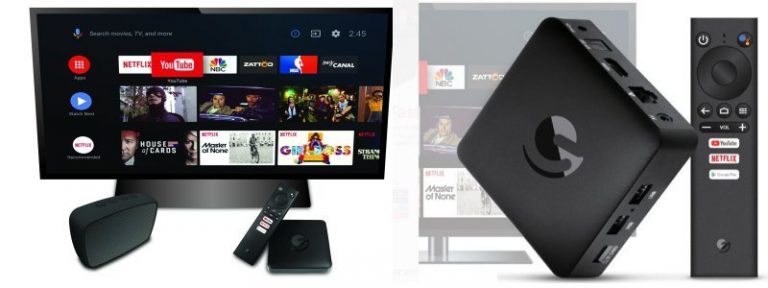
Smart TVs offer access to streaming services through built-in apps, while streaming devices can add those features to compatible televisions. Depending on the device and service, you can watch movies, documentaries, comedy specials, live programming and much more.
Popular streaming-device options include Roku, Amazon Fire TV and Google TV-compatible devices. Features and availability vary by model and region, so check that the services you use are supported before buying.
If you already own a smart TV, you may not need an additional device. You might simply need to connect the television to your home Wi-Fi and sign in to your streaming accounts.
My computer technician tip: If a streaming service keeps buffering, don’t automatically assume that you need a new television. The problem could be your Wi-Fi signal, internet connection or router placement. Checking those first may save you money.
Remember to include monthly streaming subscriptions in your budget. Several small subscriptions can quickly add up, so it’s worth reviewing which services you actually use.
4. Wireless Headphones and Earbuds
Wireless headphones are a useful entertainment accessory for women who enjoy listening to music, podcasts or audiobooks while going about their day.
They can be used with smartphones, tablets, laptops and many other Bluetooth-enabled devices. Depending on the model, features may include noise cancellation, a built-in microphone, water resistance and long battery life.
Over-ear headphones are often a comfortable choice for listening at home, travelling or concentrating on a podcast. Compact earbuds are convenient when you’re out and about, while open-ear headphones can be useful if you prefer to remain more aware of surrounding sounds.
Think about comfort as well as sound quality. A pair of headphones can have excellent technical specifications but still be a poor choice if they hurt your ears after half an hour.
If you regularly take video calls, look for a model with a good microphone. If you mainly listen to music, sound quality and battery life may matter more.
One important reminder: keep the volume at a comfortable level, particularly when listening for extended periods.
5. Online Gaming and Brain-Training Puzzles
Gaming isn’t just for children or dedicated gamers. There are thousands of games designed for adults, including relaxing puzzles, word games, strategy challenges and interactive adventures.
You can play on a smartphone, tablet, laptop or gaming console. Many games are free to start, although some include advertisements, optional purchases or paid subscriptions.
Here are a few types worth exploring:
- Word games: Wordle-style puzzles, word searches and spelling challenges are ideal for short breaks.
- Number puzzles: Sudoku offers a logical challenge that can be played at different difficulty levels.
- Crossword puzzles: Digital crosswords let you test your vocabulary without needing to carry a newspaper or puzzle book.
- Strategy games: These encourage planning, decision-making and problem-solving.
- Casual simulation games: Try managing a virtual garden, decorating a home or building a town at your own pace.
Websites such as Braingle also offer riddles, brain teasers and other puzzles for people who enjoy a mental challenge.
While puzzles can be an enjoyable way to practise problem-solving and concentration, no single game guarantees improvements in memory or prevents cognitive decline. The main benefit is having an entertaining activity that you enjoy.
A practical tip: Check app permissions and in-app purchase settings before letting children use a device, and review subscription terms when trying games advertised as free.
6. Smart Speakers for Music, Podcasts and Audiobooks
A smart speaker can make listening to entertainment easier, especially when your hands are busy cooking, cleaning or getting ready for the day.
Depending on the model, you can use voice commands to play music, listen to podcasts, hear the news, set timers or ask general questions. Some smart speakers also connect with compatible smart-home devices.
Amazon Echo and Google-compatible smart speakers are among the options to consider, although features and services vary by model and region.
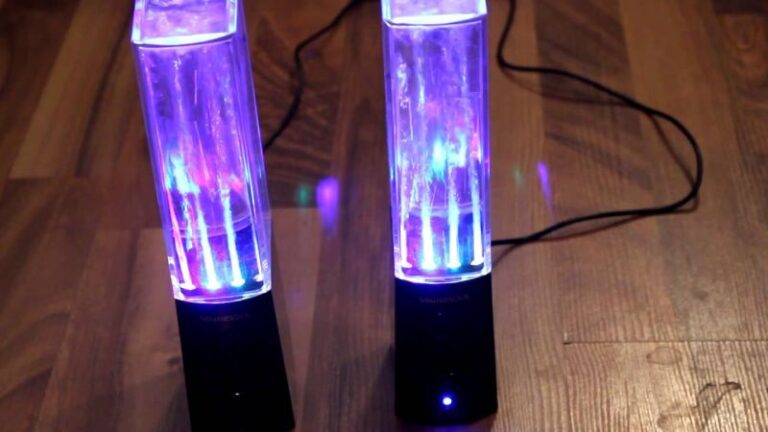
You don’t necessarily need a smart speaker to enjoy hands-free entertainment. A standard Bluetooth speaker paired with your phone can play music and podcasts without requiring a voice assistant.
When choosing a device, consider sound quality, room size, compatibility with your existing technology and privacy settings. If you prefer not to use a voice assistant, a simple wireless speaker may be a better fit.
7. Smartwatches and Fitness Trackers
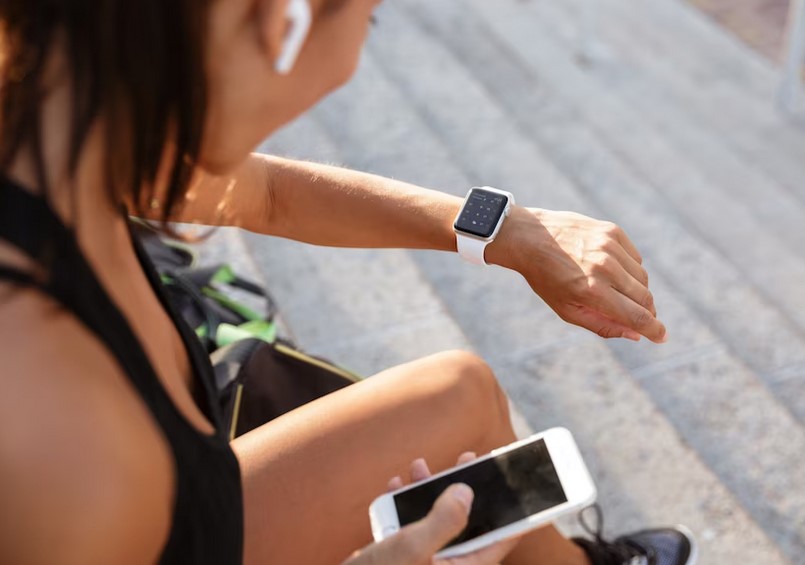
Not every form of tech entertainment involves sitting indoors. If you enjoy walking, cycling, dancing or exploring the outdoors, a smartwatch or fitness tracker can make activities more engaging.
Depending on the device, you can track steps, record workouts, monitor activity, follow routes and receive notifications from your smartphone. Some models also let you control music or listen to audio directly through compatible headphones.
Devices from brands such as Fitbit, Garmin and Apple offer different combinations of fitness, connectivity and entertainment features. Before buying, check compatibility with your phone, battery life and whether the features you want require a subscription.
You don’t need to be a dedicated athlete to use a fitness tracker. It can be as simple as recording your daily walks or setting a personal goal that encourages you to move more.
If you’re looking for ways to make exercise more enjoyable, you may also find useful ideas in this guide to apps for different training goals.
My advice: Buy a tracker that matches your actual routine. If you mainly want to count steps and receive notifications, you may not need a premium smartwatch with features you’ll rarely use.
8. Portable Gaming Consoles
If you enjoy video games but don’t want to sit at a desk, a portable gaming console might be worth considering.
Handheld devices let you play games on the couch, while travelling or during quiet moments at home. Options range from dedicated gaming handhelds to portable versions of familiar console systems.
The right choice depends on the types of games you enjoy, your budget and how comfortable you find the controls. Some devices focus on casual play, while others offer more advanced graphics and larger game libraries.
Before purchasing, check the cost of games, storage capacity, battery life and whether the console supports the titles you want to play. Some systems also require online subscriptions for certain multiplayer features.
If you’re new to gaming, there’s no need to start with an expensive device. A smartphone or tablet may already provide all the entertainment you need.
9. Digital Art and Creative Apps
Technology can also help you explore a creative hobby. If you enjoy drawing, photography, journaling or designing, there are apps that let you experiment without investing in a lot of equipment.
A tablet with a compatible stylus can be useful for digital drawing, colouring and handwritten notes. Smartphone photography apps offer tools for editing pictures, creating collages and organizing memories. Other apps let you design greeting cards, plan projects or experiment with graphic design.
Some creative apps are free, while others charge for advanced features or subscriptions. Try a free version first to see whether you enjoy using it before committing to a paid plan.
You don’t have to be an artist or a technology expert to get started. A simple creative app can be a relaxing way to spend an evening and learn something new at your own pace.
How to Choose the Best Tech Entertainment for You
With so many gadgets available, it’s easy to spend money on features you may never use. I recommend starting with the activity you want to enjoy rather than choosing a device simply because it’s popular.
Before making a purchase, consider these questions:
- What will I use it for? Reading, watching movies, playing games and listening to music all have different requirements.
- Will it work with my existing devices? Check compatibility with your smartphone, computer, television and home network.
- What is the total cost? Include accessories, subscriptions, paid apps and replacement parts where applicable.
- Is it easy to use? Look for comfortable controls, clear menus and features that suit your experience level.
- Will it receive updates? Software and security support can make a difference to how long a device remains useful.
- Do I really need a new device? An app or accessory for something you already own might be all you need.
A little research before buying can help you avoid disappointment and make better use of your money.
Final Thoughts: Make Technology Work for Your Downtime
The best tech entertainment for women isn’t necessarily the most expensive or newest gadget on the market. It’s the technology that fits your interests, works reliably and gives you a reason to look forward to your free time.
A tablet might be perfect for reading and streaming, while wireless headphones could make everyday walks more enjoyable. Perhaps you’ll discover a new interest through digital art, enjoy a daily puzzle or use a smartwatch to stay motivated with your fitness routine.
As a computer technician, I always encourage people to consider their needs before spending money on technology. Check compatibility, understand the ongoing costs and look for devices that will continue to receive support.
Technology should make life more enjoyable, not more complicated. Choose something that interests you, learn how to use it and make a little room in your day for entertainment that’s just for you.