
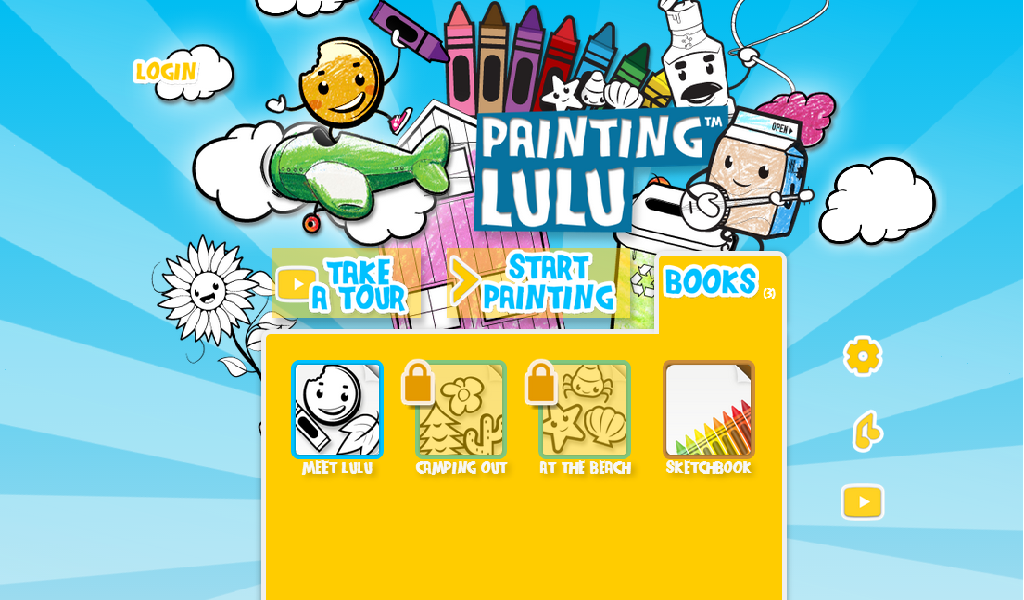
Painting Lulu: A Paper-to-Digital Coloring Set for Kids
6 min read
1047 words

As a computer technician, I spend a lot of time working with technology, but I also appreciate seeing how it can encourage creativity. When children get to explore technology in a fun, hands-on way, it can be a great introduction to using digital devices.
Back in 2016, I had the opportunity to try Painting Lulu’s Paper-to-Digital My Little Pony Coloring Set with my three-year-old daughter. She loved coloring, so I was curious to see how she would respond to a product that combined a traditional coloring book with a mobile app.
Rather than replacing paper and crayons entirely, Painting Lulu offered a way to bring children’s artwork into the digital world. Here is a look back at our experience with the coloring set.
What Was Painting Lulu?
Painting Lulu was designed to combine traditional coloring books with digital coloring features. Its Paper-to-Digital My Little Pony Coloring Set included a 32-page coloring book, a crayon-shaped digital stylus, and a code for accessing the Painting Lulu app.
The idea was simple: children could start with a printed coloring page, then use the app to scan the page and continue coloring digitally.
The app offered several coloring tools, including a crayon, paintbrush, marker, and eraser, along with a selection of colors. Children could zoom in on their artwork, change tools, save their creations, and, where supported, print or share their finished pictures.
It was an interesting approach to combining the familiarity of a coloring book with some of the interactive features available on a tablet.
Painting Lulu Coloring Set
The My Little Pony theme was an obvious attraction for my daughter. The set gave her the chance to enjoy a familiar activity while trying something new with the digital stylus and app.
I also appreciated that the printed coloring book was made from 100% recycled paper, according to the product information available at the time.
The stylus was shaped like a crayon, making it familiar and comfortable for little hands to hold. For a young child who already enjoys coloring, that design helped make the transition to digital coloring feel more natural.
The app also included some additional features. Blank coloring pages were available for use on the go, while a Photo Booth feature allowed children to take selfies alongside My Little Pony images. Another feature, called My Coloring Book, let users turn photographs into coloring pages.
These extras added variety beyond the printed book itself.
Our Experience With the Painting Lulu App
Downloading the app was fairly straightforward, although I did run into a few errors with the Google app during my initial attempt.
This was my first experience with a coloring app, so I didn’t have another product to compare it with. What mattered most to me was whether my daughter could understand how to use it.
At three years old, she was able to learn the basic functions and navigate the coloring activities with surprising ease. The digital tools were simple enough for her to explore, and she enjoyed choosing different colors and experimenting with the features.
The photo-to-coloring-page option was less impressive. I found it worked best when photographing a single object without too much detail. More complicated photographs didn’t produce the same kind of result I had hoped for.
The selfie feature, however, was a big hit. My daughter loved taking pictures together with the pony images, and we ended up taking several selfies.
For me, that was part of the appeal. It wasn’t only about coloring on a screen; it was also about sitting together, trying the features, and enjoying a creative activity.
Was Painting Lulu a Good Introduction to Tablets?
I felt Painting Lulu was a positive introduction to tablet-based activities for my daughter. She already enjoyed traditional coloring, so the app built on an interest she had rather than asking her to learn an entirely new activity.
The combination of paper and digital coloring also gave us options. She could use the printed book in the usual way or experiment with the app when she wanted a different experience.
Digital coloring can encourage children to experiment with colors, make changes, and explore their creativity. Using a stylus can also involve hand-eye coordination and fine motor movements, although an app should be considered a complement to other play activities rather than a replacement for them.
As with any screen-based activity for young children, I would recommend that parents take part, help with the technology, and choose screen time that suits their child’s age and needs.
Is Painting Lulu Still Worth Looking For?
Painting Lulu was a product I enjoyed trying with my daughter in 2016, but technology has changed considerably since then. I can’t confirm that the original app is still available, that its activation code works, or that it is compatible with current phones and tablets.
If you happen to find a second-hand Painting Lulu set, I would check whether the app can still be installed before buying it specifically for its digital features. The printed coloring book may still be enjoyable on its own, but the original digital experience could depend on software and services that are no longer supported.
Parents looking for a similar activity today can consider ordinary coloring books alongside age-appropriate drawing and coloring apps. That combination offers children opportunities to create art both on paper and on a screen without relying on one particular product.
Final Thoughts
Looking back at our experience in 2016, Painting Lulu’s Paper-to-Digital My Little Pony Coloring Set was a fun way to introduce my three-year-old daughter to creative activities on a tablet. She enjoyed the coloring tools, and the selfie feature was one of her favourites. The photo-to-coloring-page function was not as successful as I had hoped, but that didn’t take away from the enjoyment she got from the rest of the set.
As a computer technician and a dad, I like seeing technology used in ways that encourage creativity rather than simply keeping children occupied. Painting Lulu was an interesting example of how a familiar activity like coloring could be combined with digital tools.
Although I can’t speak to the app’s current availability, I still think the idea behind it was appealing: give children different ways to express themselves and let them enjoy creating something of their own.
Originally published in 2016 | Updated October 23, 2026



This looks super cool and I can see the kids having fun with their coloured work, my how times have changed!!