
AI PCs Are Here: Do You Actually Need One?
10 min read
1827 words
Every few years, the computer industry introduces a new feature designed to encourage upgrades and renew interest in buying new devices. We have seen this happen with multimedia PCs, internet-ready computers, ultrabooks, and now the latest trend: AI PCs.
Manufacturers are promoting new laptops and desktops with dedicated AI processors, promising smarter, faster, and more efficient computing experiences. These AI PCs are designed to handle certain artificial intelligence tasks directly on the computer instead of relying entirely on cloud-based services.
But, from a computer technician’s perspective, the most important question is not simply, “Does this computer have AI?”
The better question is: “Will an AI PC actually improve the way you use your computer?”
For some users, an AI PC can provide meaningful benefits, including improved video calls, faster creative workflows, better privacy, and more efficient performance. For others, it may simply be an expensive feature that adds little value to everyday tasks such as browsing the web, checking email, or using basic office programs.
What Exactly Is an AI PC?
At its foundation, an AI PC is still a traditional computer. It contains the same important components found in most modern systems:
- CPU (Central Processing Unit): Handles Windows, programs, and everyday computing tasks.
- GPU (Graphics Processing Unit): Manages graphics, gaming, video editing, and other demanding workloads.
- NPU (Neural Processing Unit): A specialized processor designed to handle specific AI-related tasks more efficiently.
The NPU is not a magical upgrade that makes every part of the computer smarter. Instead, it works as an additional processor designed for certain workloads, allowing AI features to run with less strain on the main processor.
Examples of AI features include:
- Background removal during video calls
- Microphone noise reduction
- Live captions
- Photo enhancement
- AI-assisted editing tools
The important thing to understand is that an AI PC does not automatically make everyday computing faster. Browsing the web, checking email, or writing documents will still depend mostly on the computer’s processor, memory, and storage.
The Biggest Change: AI Processing Moves Onto the Computer
For years, many AI features relied on cloud services. A computer would send information to remote servers, the request would be processed, and the results would be returned.
AI PCs allow more AI tasks to happen directly on the device.
From a technician’s viewpoint, this provides three main advantages:
Faster Response Times
When AI processing happens locally, some features can respond more quickly because they do not need to wait for information to travel over the internet.
Improved Privacy
Keeping certain tasks on the computer can be beneficial for users working with private documents, business information, personal photos, or confidential conversations.
Better Power Efficiency
An NPU is designed specifically for AI workloads and can perform some tasks using less power than relying entirely on the CPU or GPU. This can help improve battery life on laptops.
However, these benefits only matter when software actually uses the AI hardware. A computer with an NPU does not provide automatic improvements in every program.
What Does an AI PC Actually Do for the Average User?
While AI PCs offer new capabilities, the real-world benefits depend on how the computer is used. For many people, the improvements will be noticeable only in specific situations.
Better Video Calls
For remote workers and professionals who spend hours in online meetings, AI features can provide practical improvements, including:
- Automatic camera framing to keep the user centered
- Background blur and replacement
- Improved lighting adjustments
- Microphone noise reduction
These features can make virtual meetings look and sound more professional, especially when working from home.
However, for someone who only joins occasional video calls with family or friends, the difference may not justify paying more for an AI PC.
AI-Assisted Writing and Productivity
AI tools are becoming common in workplace software. They can help users:
- Summarize long documents
- Draft emails
- Create reports
- Organize information
- Improve writing quality
For professionals who spend many hours working with documents, these tools can save time.
However, many AI productivity features are available through software subscriptions and cloud services. Buying an AI PC does not automatically provide access to every AI tool.
Photo and Video Editing
Creative work is one area where AI hardware can make a more noticeable difference.
Photographers, designers, and video editors may benefit from:
- Faster image adjustments
- Object removal
- Background replacement
- Video enhancement
- Faster previews and editing workflows
For professionals, saving minutes on repeated editing tasks can add up to significant time savings.
For the average user who occasionally edits vacation photos, a better display, more storage, or additional memory may provide a more noticeable improvement.
AI PC vs Traditional PC: What Really Changes?
For everyday computer tasks, the difference between a traditional PC and an AI PC may not be obvious.
A well-built traditional computer can still handle:
- Internet browsing
- Streaming movies and videos
- Microsoft Office applications
- Online shopping
- Managing personal files and photos
The main difference appears when using applications designed specifically to take advantage of AI hardware.
| Task | Traditional PC | AI PC |
|---|---|---|
| Web browsing | Excellent | Excellent |
| Excellent | Excellent | |
| Office programs | Excellent | Excellent |
| Video calls | Good | Enhanced AI features |
| Creative AI tools | Limited support | Better optimized |
| Local AI processing | Limited | Built-in support |
An AI PC is not a replacement for good computer specifications. A computer with a faster processor, enough memory, and a quality SSD will often feel faster than a lower-end machine simply because it carries an AI label.
Who Should Consider Buying an AI PC?
An AI PC makes the most sense for users who will actually take advantage of the technology.
Remote Workers

People who spend much of their day in video meetings may appreciate:
- Better audio and camera features
- Improved privacy
- More efficient multitasking
Content Creators
Photographers, graphic designers, and video editors may benefit from faster AI-powered editing tools and improved creative workflows.
Professionals
Writers, researchers, analysts, and business users who regularly use AI tools may see real productivity improvements.
Anyone Replacing an Older Computer
If your current computer is five to seven years old and due for replacement, choosing an AI PC may be a smart long-term investment. You gain newer hardware today while being prepared for future software improvements.
Who Probably Does Not Need an AI PC Yet?
Many users will not see enough benefit to justify the additional cost.
A traditional laptop or desktop is still an excellent choice for people who mainly:
- Browse websites
- Check email
- Watch streaming services
- Use office software occasionally
- Store and organize photos
- Manage household tasks online
For these users, spending extra money on better overall hardware may provide more value than paying for AI features they may rarely use.
What Should You Look For When Buying an AI PC?
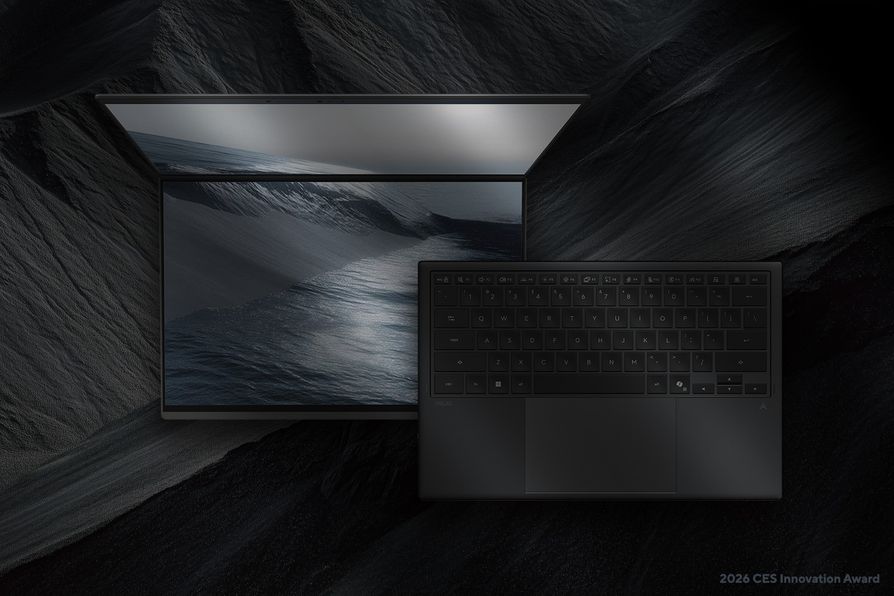
As a computer technician, my advice is the same whether you are buying an AI PC or a traditional computer: look beyond the marketing.
The “AI” label should not be the deciding factor. A computer’s overall performance, reliability, and ability to meet your needs are still the most important considerations.
Processor
A modern Intel Core or AMD Ryzen processor will have a major impact on everyday performance.
A powerful processor helps with:
- Faster program loading
- Smoother multitasking
- Better overall responsiveness
- Longer usable life
An AI PC with a weak processor will still feel slow.
RAM (Memory)
Memory affects how many programs your computer can handle at the same time.
Recommended:
- 16GB RAM: A good choice for most users
- 32GB RAM: Better for professionals, creators, and heavy multitaskers
While AI applications may require more memory, everyday performance still depends heavily on having enough RAM.
Storage
Choose a computer with an NVMe solid-state drive (SSD).
Compared with older hard drives, SSDs provide:
- Faster startup times
- Quicker program loading
- Faster file transfers
- Better overall responsiveness
Storage speed often makes a bigger difference in daily use than many AI features.
Build Quality
A computer should be comfortable and reliable for years.
Consider:
- Cooling performance
- Keyboard quality
- Screen quality
- Battery life
- Durability
A well-built computer will usually provide a better experience than a cheaper model with extra features you may never use.
Warranty, Support, and Repair Options
Before buying, check:
- Length of warranty coverage
- Availability of replacement parts
- Manufacturer support reputation
- Repair options after the warranty expires
A computer is an investment. Choosing a brand with good support can save frustration later.
Common AI PC Buying Mistakes
The excitement around AI technology can make it easy to focus on the wrong things.
Buying Only Because It Says “AI”
An AI label does not automatically mean a computer is faster, better built, or the right choice for your needs.
Always compare:
- Processor
- RAM
- Storage
- Display
- Battery life
- Reliability
Paying for Features You Will Never Use
Many buyers spend extra money on advanced features they rarely access.
For some users, that money would be better spent on:
- More memory
- Larger storage
- A better-quality display
- A faster processor
Ignoring Basic Computer Specifications
An inexpensive AI PC can still disappoint if it has:
- Too little RAM
- Slow storage
- An entry-level processor
- Poor cooling
- Limited upgrade options
The fundamentals still matter.
Are AI PCs Worth the Extra Cost?

The answer depends on the user.
An AI PC May Be Worth It If:
✔ You use AI tools regularly for work or school
✔ You create videos, graphics, or digital content
✔ You attend frequent online meetings
✔ You want a computer designed to last several years
✔ You are already replacing an older computer
You May Want to Save Your Money If:
✔ Your current computer works well
✔ You mainly browse the internet and check email
✔ You rarely use AI software
✔ You would benefit more from extra storage, memory, or a better display
For many everyday users, a well-equipped traditional computer may still provide the best value.
The Future of AI PCs
AI features will likely become a standard part of future computers, much like Wi-Fi, webcams, and touchscreens became common over time.
Future AI-powered systems may help users:
- Organize files automatically
- Summarize meetings
- Improve computer security
- Assist with troubleshooting
- Manage schedules and daily tasks
However, the success of AI PCs will depend on whether software developers create features that genuinely solve problems instead of simply adding technology for the sake of having it.
Final Verdict: Do You Need an AI PC?
AI PCs represent a real improvement in computer hardware, but they are not a necessary upgrade for everyone.
For professionals, creators, remote workers, and users who already rely on AI tools, an AI PC can provide valuable improvements in speed, privacy, and efficiency.
For the average user who mainly browses the web, checks email, watches videos, and completes basic tasks, a reliable computer with a good processor, enough RAM, and fast storage remains the smarter choice.
When buying a new computer, focus less on the AI branding and more on what the machine will actually help you accomplish.
The best computer is not the one with the newest label. It is the one that meets your needs, performs reliably, and provides value for the money you spend.