Digital Paper Tablets Explained: Are They Worth It in 2026?
5 min read
903 words
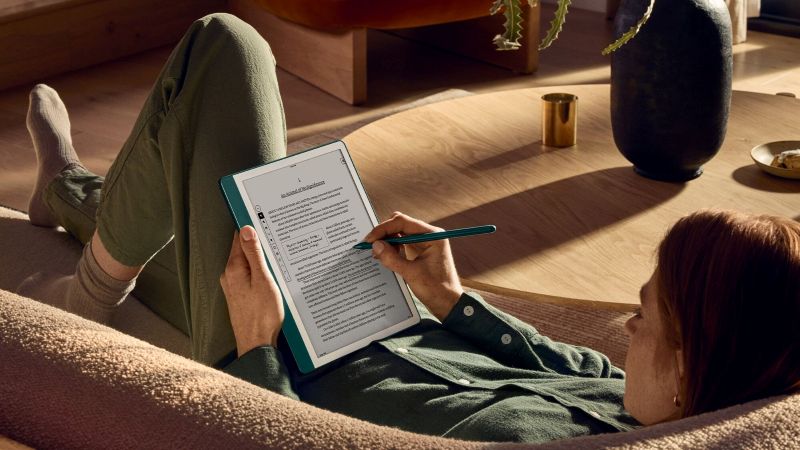
In a world where every device competes for your attention, distraction has become the default setting. Notifications interrupt every thought, apps fight for screen time, and even simple tasks are fractured by endless digital noise. In response, a quiet but significant shift is taking place in personal technology—one that prioritizes clarity over complexity. As we move through 2026, digital paper tablets have emerged as a defining category in this new era of intentional computing. Unlike traditional tablets and smartphones designed to do everything at once, these E Ink devices are built with a single purpose: to help you think, write, and focus without interruption.
Once considered niche tools for minimalist enthusiasts, digital paper tablets are now being adopted by students, professionals, and creatives who are actively reducing digital overload. The appeal is simple but powerful—an experience that feels closer to pen and paper, and further from the chaos of modern screens.
But this raises an important question: in a world obsessed with more features, why are people choosing devices that deliberately do less?
In this guide, we explore what digital paper tablets are, how they work, and why they are becoming one of the most important productivity tools of 2026.
What Is a Digital Paper Tablet?
The Purpose of Digital Paper
- Reading: eBooks, PDFs, and long-form research materials
- Writing: Natural handwritten note-taking
- Annotating: Marking up documents like printed pages
- Thinking: A distraction-free space for ideas and journaling
How Digital Paper Tablets Work
If you have used a Kindle, you have already experienced basic E Ink. However, 2026 devices have significantly advanced this technology.
E Ink Display Technology
E Ink uses millions of microcapsules containing charged particles that move to form text and images. Since it reflects ambient light instead of emitting light, it closely resembles real paper and reduces eye strain.
Stylus Input and Handwriting
Modern devices use electromagnetic resonance (EMR) styluses that require no charging. With high pressure sensitivity and improved screen friction, writing feels remarkably close to real pen-on-paper interaction.
Cloud Syncing and Battery Life
Because E Ink only uses power when content changes, these devices last 2–4 weeks on a single charge. Notes and documents sync instantly across cloud platforms like Google Drive and Dropbox.
Key Features in 2026 Models
- Near-zero latency: Writing delay under 10ms
- AI handwriting recognition: Converts handwriting to searchable text
- Advanced PDF tools: Highlight, annotate, export easily
- Cloud integration: Google Drive, OneDrive, Dropbox support
- Front lighting: Adjustable warm and cool lighting
Benefits of Digital Paper Tablets
Distraction-Free Productivity
These devices eliminate notifications, apps, and browsing distractions, allowing users to focus deeply on one task at a time.
Improved Health and Focus
Reduced blue light exposure helps minimize eye strain and supports better sleep. Handwriting also improves memory retention compared to typing.
Ideal Users
- Students managing notes and textbooks
- Writers working on long-form content
- Professionals organizing meetings and documents
Limitations You Should Know
- No full app ecosystem or entertainment apps
- Slower refresh rates, unsuitable for video
- Muted color compared to OLED displays
- Premium pricing relative to feature set
Who Should (and Shouldn’t) Buy One?
Perfect User
- Wants fewer digital distractions
- Loves handwriting but dislikes paper clutter
- Reads and studies extensively
Not Ideal For
- Gaming or streaming-focused users
- Heavy video/photo editing workflows
- Budget-only general tablet buyers
8. Comparison Table
| Feature | Digital Paper Tablet | iPad / Android Tablet | Laptop |
|---|---|---|---|
| Primary Use | Writing & Reading | Media & Apps | Work & Creation |
| Focus Level | Extremely High | Low | Moderate |
| Battery Life | 2–4 Weeks | 10–12 Hours | 8–15 Hours |
| Eye Strain | Very Low | High | High |
Best Use Cases
- Meeting notes with searchable AI transcription
- Morning journaling without distractions
- Studying with annotated PDFs
- Brainstorming with infinite canvas tools
Are They Worth It in 2026?
The verdict: yes—but only for the right user. For professionals who reduce distractions and save even 30 minutes per day, the device can pay for itself quickly in productivity gains.
Buy it if you want focus. Skip it if you want entertainment.
Buying Guide
- Screen size: 10.3” ideal balance
- Storage: Minimum 32GB recommended
- Stylus: Pressure + tilt support preferred
- Cloud system: Check subscription requirements
Suggested Brands (2026)
reMarkable 2 – Focused Writing Experience
The reMarkable ecosystem is built for distraction-free writing, offering one of the closest digital experiences to real paper.
Kindle Scribe – Reading + Notes
Best for readers who want simple note-taking inside the Kindle ecosystem.
BOOX Note Air 3 – Power Users
Android-based flexibility with full app support and advanced workflows.
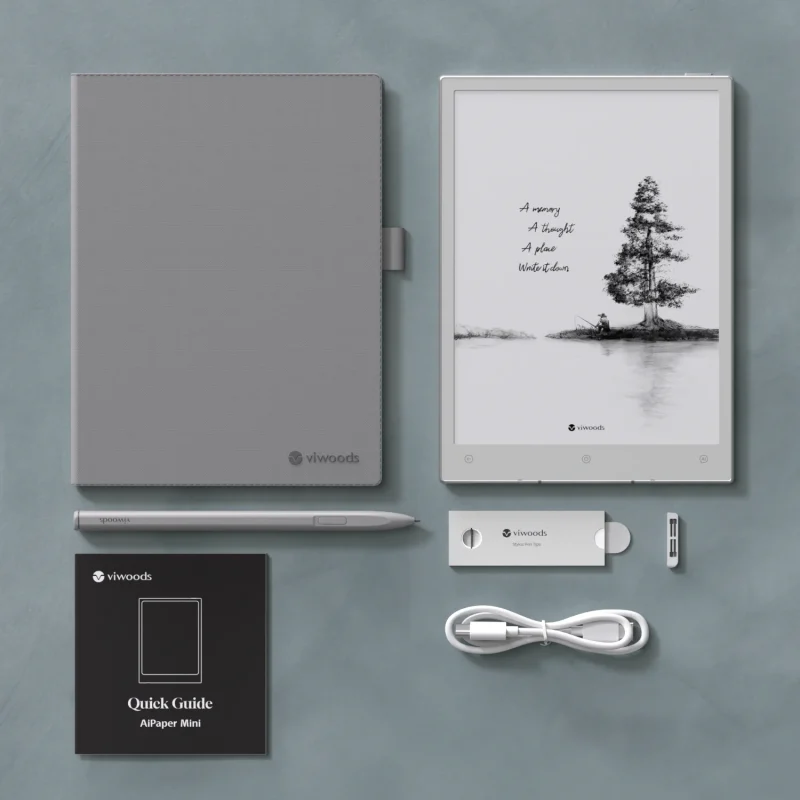
Viwoods AiPaper – Balanced Option
A middle-ground device combining minimalism with AI-powered productivity tools.
FAQ
Are digital paper tablets better than iPads?
Yes for focus and handwriting, but not for apps or entertainment.
Can they replace a laptop?
No. They complement laptops rather than replace them.
Do they work offline?
Yes, fully for reading and writing. Internet is only needed for syncing.
Is handwriting better than typing?
Often yes for memory retention and comprehension.
Which brand is best overall?
It depends: reMarkable for focus, Kindle Scribe for reading, BOOX for flexibility, Viwoods for balance.