
5 min read
956 words
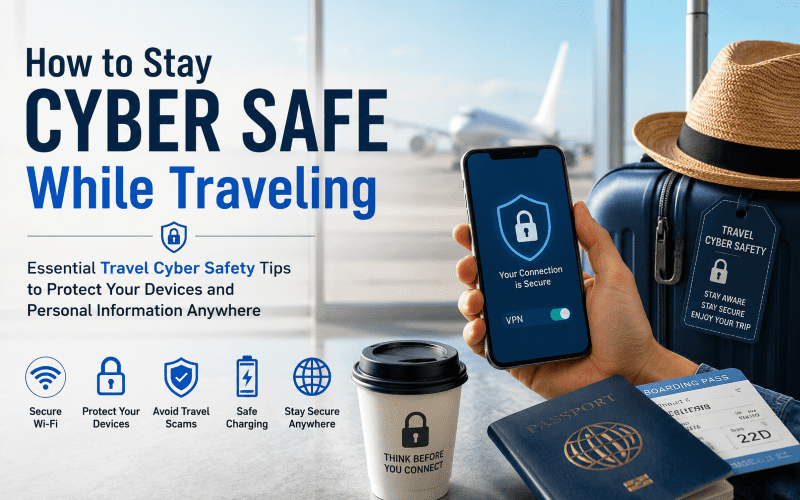
Summer is the season of exploration. Whether you’re relaxing on a beach in the Mediterranean, hiking through a national park, or navigating crowded airport terminals, travel is all about escaping the routine and making memories. Unfortunately, cybercriminals see summer travel season as an opportunity. Travelers regularly connect to unsecured airport WiFi, use public charging stations, and access sensitive accounts while on the move, creating ideal conditions for data theft, identity fraud, and online travel scams. By following a few smart travel cyber safety habits, you can protect your phone while traveling and reduce the risk of hackers accessing your personal information.
The Hidden Dangers of Public Connections
Free internet access may seem convenient while traveling, but public networks can expose your data to serious security threats. Understanding basic travel cyber safety practices can help you avoid becoming a target.
1. Master Public Wi-Fi Safety
Airport Wi-Fi risks are significant because many public networks are unencrypted. Hackers can use “Man-in-the-Middle” (MitM) attacks to intercept information traveling between your device and the network.
Hotel Wi-Fi security can also be weak, especially on large shared networks used by hundreds of guests.
How to Stay Safe on Public Wi-Fi
- Use a Virtual Private Network (VPN)
- Avoid online banking on public networks
- Disable automatic Wi-Fi connections
- Turn off file sharing and Bluetooth when not needed
- Use cellular data for sensitive activities whenever possible
A VPN encrypts your internet traffic, making it much harder for cybercriminals to monitor your activity.
Beware of Fake Wi-Fi Networks
Cybercriminals often create fake hotspots with names similar to legitimate airport or café networks. These “Evil Twin” networks are designed to trick travelers into connecting.
Examples include:
- Free_Airport_WiFi
- Hotel Guest Network
- Starbucks_Public
Once connected, hackers may monitor passwords, emails, or financial information.
Safety Tip
Always verify the official network name with airport, hotel, or café staff before connecting. This is one of the simplest but most effective travel cyber safety habits.
How to Protect Your Phone While Traveling
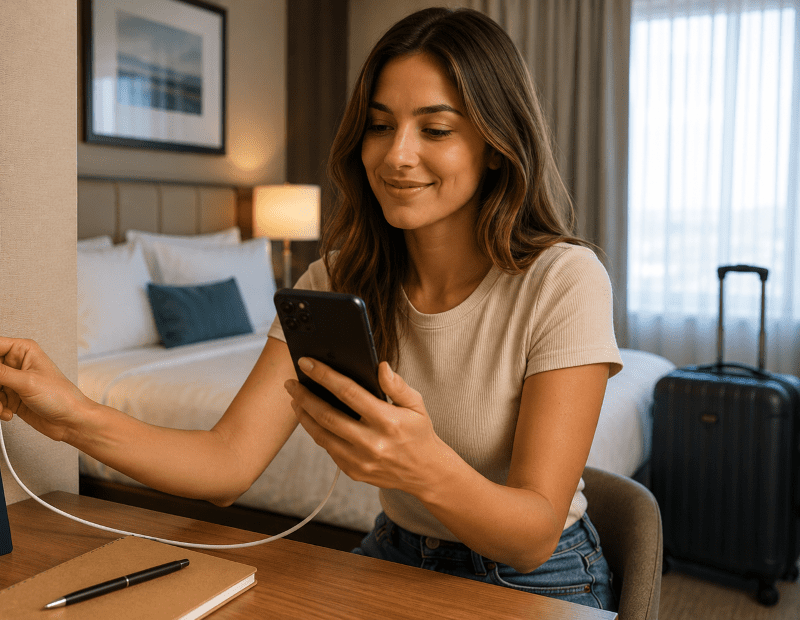
Your smartphone contains banking apps, passwords, photos, emails, and personal data. Protecting the physical device is just as important as securing your online activity.
2. Avoid Public USB Charging Stations
Public charging ports can expose travelers to “juice jacking,” where compromised USB ports attempt to install malware or access your data while charging.
Safer Alternatives
- Carry a portable power bank
- Use your own wall charger
- Pack a universal travel adapter
- Use a USB data blocker if public charging is unavoidable
USB data blockers allow electricity to pass through while blocking data transfer.
3. Lock Devices with Biometrics
A simple four-digit PIN may not provide enough protection if your phone is lost or stolen.
Use:
- Face ID
- Fingerprint authentication
- Strong alphanumeric passwords
- Auto-lock settings
This creates an important barrier against identity theft while traveling.
How to Avoid Online Travel Scams
Travel-related phishing scams increase during peak vacation months. Fraudsters often impersonate:
- airlines
- hotels
- booking websites
- delivery companies
- tourism agencies
4. Enable Multi-Factor Authentication (MFA)
Multi-factor authentication is one of the most effective cybersecurity tools available.
Even if hackers obtain your password, they still need a second verification step to access your account.
Enable MFA on:
- email accounts
- banking apps
- social media
- cloud storage
- travel booking accounts
5. Watch for Fake Travel Messages
Be cautious of urgent emails or text messages claiming:
- your flight was canceled
- your hotel reservation failed
- your account needs verification
- payment information must be updated
Instead of clicking links directly:
- open the official airline app
- visit the official website manually
- contact customer service directly
Your Pre-Travel Cybersecurity Checklist
Before leaving for your trip, take a few minutes to secure your devices.
Backup Your Devices
Store copies of:
- photos
- travel documents
- contacts
- important files
Use:
- secure cloud storage
- external hard drives
- encrypted backups
Update Your Software
Install the latest:
- operating system updates
- app updates
- browser updates
- antivirus definitions
Security updates often patch vulnerabilities used by hackers.
Install Travel Safety Apps
Helpful apps include:
- Find My iPhone
- Google Find My Device
- password managers
- VPN apps
- emergency alert apps
Best Travel Cybersecurity Products
Best VPNs for Travelers
A reliable VPN can help protect your information on public Wi-Fi networks.
Popular options include:
- NordVPN
- ExpressVPN
- Proton VPN
- Surfshark
Best USB Data Blockers
USB data blockers help prevent unauthorized data transfer through charging ports.
Popular travel options include:
- PortaPow USB Data Blocker
- JSAUX USB Data Blocker
- USB Condom adapters
Best Portable Power Banks
Portable chargers reduce the need to rely on public charging stations.
Look for:
- fast charging
- airline-safe battery sizes
- multiple USB ports
- compact travel-friendly designs
Frequently Asked Questions
Is hotel Wi-Fi safe?
Hotel Wi-Fi is often safer than completely open public networks, but it still carries risks. A VPN is recommended whenever accessing sensitive information.
Can hackers steal data from public Wi-Fi?
Yes. Unsecured public networks may allow cybercriminals to intercept passwords, emails, or financial information.
What is juice jacking?
Juice jacking occurs when compromised USB charging stations attempt to access your device’s data or install malware while charging.
Should I use a VPN while traveling?
Yes. VPNs encrypt your internet connection and are strongly recommended for airport, hotel, and café Wi-Fi use.
How can I protect my phone abroad?
Use strong passwords, enable biometric locks, avoid suspicious Wi-Fi networks, keep software updated, and enable device tracking features.
Final Thoughts
You’ve worked hard for your vacation, so don’t let cybercriminals ruin it.
By practicing smart public WiFi safety, avoiding suspicious charging stations, and staying alert for online travel scams, you can significantly reduce your cybersecurity risks while traveling.
Simple travel cyber safety habits like using a VPN, enabling multi factor authentication, and carrying a portable power bank can go a long way toward protecting your devices and personal information.
Safe travels and stay cyber safe this summer!