
5 min read
950 words
The roar of the crowd, the electrifying atmosphere, and the sheer joy of seeing your favorite team score. Attending a FIFA World Cup is an unforgettable experience. But amidst the excitement of planning your dream trip, there is a common worry that can cast a shadow: FIFA Hotel Cancellations. You have secured your tickets, mapped out your itinerary, and found what seems like the perfect place to stay, only to hear stories of confirmed hotel reservations mysteriously disappearing. If you are wondering why hotels cancel bookings during the FIFA World Cup and what to do if your reservation is cancelled, you are in the right place. In my opinion, being proactive is the only way to handle the uncertainty of major event travel. This guide will walk you through common booking issues, explain the dynamics behind them, and equip you with practical advice on how to avoid cancellations and safeguard your accommodation.
The FIFA Hotel Cancellation Phenomenon
Major global events like the FIFA World Cup transform host cities overnight. Demand for everything, especially accommodation, skyrockets. While most hotels operate with integrity, the intense pressure and unprecedented demand during these periods can unfortunately lead to an increase in FIFA Hotel Cancellations. This is not always malicious, as it sometimes stems from genuine errors, system glitches, or unexpected circumstances. However, there are instances where hotels, seeing the massive price increases, might be tempted to cancel lower rate bookings to re-list rooms at significantly higher prices. This can turn a fan’s dream trip into a last minute scramble, leading to immense stress and unexpected expenses. Understanding the underlying causes is the first step in protecting yourself.
The Driving Forces: Demand Spikes and Dynamic Pricing
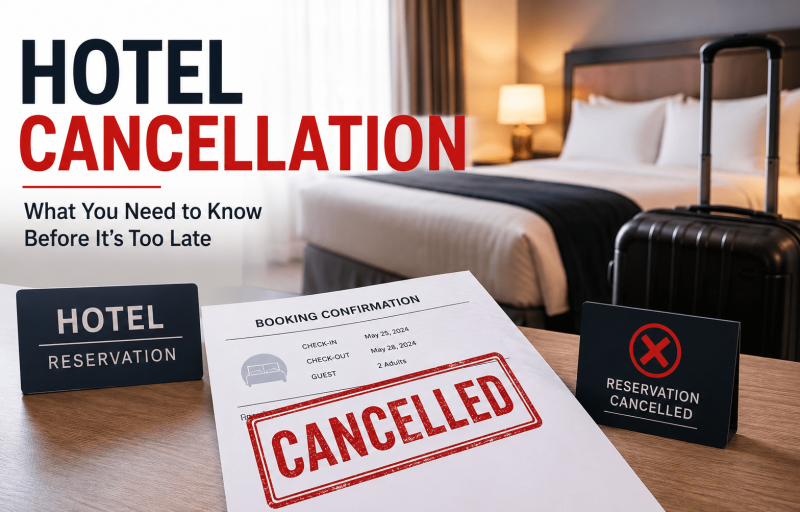
The core of most World Cup accommodation problems stems from two powerful economic forces:
- Explosive Demand Spikes: Imagine a city that usually sees thousands of tourists suddenly having to accommodate hundreds of thousands, or even millions, of visitors within a tight timeframe. Hotels get booked up months or years in advance. This creates an incredibly competitive market where every room is a hot commodity.
- Dynamic Pricing: In a normal market, hotel prices fluctuate based on season, the day of the week, and local events. During a FIFA World Cup, this dynamic pricing goes into overdrive. Hotels constantly adjust their rates in real time based on demand. A room booked for $200 a night a year out might be worth $800 a night closer to the event. This significant price differential can motivate some unscrupulous establishments to cancel existing, lower priced bookings, citing various reasons, only to re-open availability at substantially inflated rates.
It is a tough reality, but can hotels cancel confirmed reservations? Legally, yes, under certain circumstances outlined in their terms and conditions. My goal is to ensure those circumstances do not unfairly impact your reservation.
Understanding Common Hotel Cancellation Policies
When you book a hotel, you typically focus on your right to cancel. But it is equally important to understand the hotel’s policies and legal standing regarding their ability to cancel your booking. Hotels often include clauses that allow them to cancel under specific conditions, which can include:
- Payment Issues: Your payment method fails or is deemed invalid.
- Overbooking: The hotel genuinely overbooks, either accidentally or strategically.
- Force Majeure: Unforeseen circumstances like natural disasters, government mandates, or other events beyond their control.
- System Errors: Technical glitches that lead to incorrect pricing or booking errors.
- Breach of Terms: You violate specific terms, such as trying to resell the room or exceeding guest limits.
While many of these are legitimate, the high stakes environment of a World Cup can sometimes see hotels leaning on these clauses for less legitimate reasons. Understanding your rights and what is stipulated in the refund policy is crucial.
What Fans Should Know Before Booking
Preparation is your best defense against FIFA hotel booking cancellations. Here is what I believe every fan needs to know:
- Book Early, But Wisely: While booking far in advance is recommended, be aware that some hotels might be more likely to re-evaluate older, lower priced bookings closer to the date if prices have soared.
- Read the Fine Print: Do not just skim the terms and conditions. Look specifically for clauses that grant the hotel the right to cancel your reservation. Pay attention to payment deadlines and any specific event policies.
- Understand Payment Terms: Many hotels demand full upfront payment for FIFA events. This secures your room, but also means your money is tied up. Ensure you understand the refund policy for full prepayments.
- Choose Your Booking Platform Carefully: Directly booking with the hotel can offer more direct communication, but reputable Online Travel Agencies often have strong customer support. Research the platform’s reputation regarding customer service during major events.
How to Protect Your Reservation
Do not let travel safety be an afterthought. Here is your action plan for a worry-free stay:
- Book Directly with Reputable Hotels: If possible, book directly on the official website. This creates a direct relationship with the hotel.
- Get Everything in Writing: Ensure you receive a detailed email confirmation with your reservation number, dates, room type, and the total price. Keep all correspondence.
- Confirm Your Booking: A few weeks before your trip, directly contact the hotel to re-confirm your reservation. Ask for the confirmation number again.
- Use a Credit Card: Credit cards often offer better consumer protection than debit cards. If a hotel cancels unfairly, your credit card company might be able to help you dispute the charge.
- Document Everything: Keep screenshots of your booking and any communication. This is your evidence if a dispute arises.
- Have a Backup Plan: It is wise to have a rough idea of alternative accommodation options in the host city, just in case.
 Gracie Davis