Your Guide to Spotting Clickbait and Avoiding Scams
6 min read
1144 words
In today’s hyper-connected world, information is everywhere. And while that’s mostly a good thing, it also means we’re constantly bombarded by headlines, emails, and social media posts all vying for our attention. Amidst this digital noise, two sneaky adversaries lurk: clickbait and online scams. They might seem like minor annoyances, but they’re more than that. Clickbait wastes your time and can spread misinformation, while scams can lead to devastating financial losses and identity theft. The good news? With a little awareness and critical thinking, you can become a digital detective and protect yourself. Let’s equip you with the tools to navigate this digital minefield.
Decoding the Deception – How to Spot Clickbait
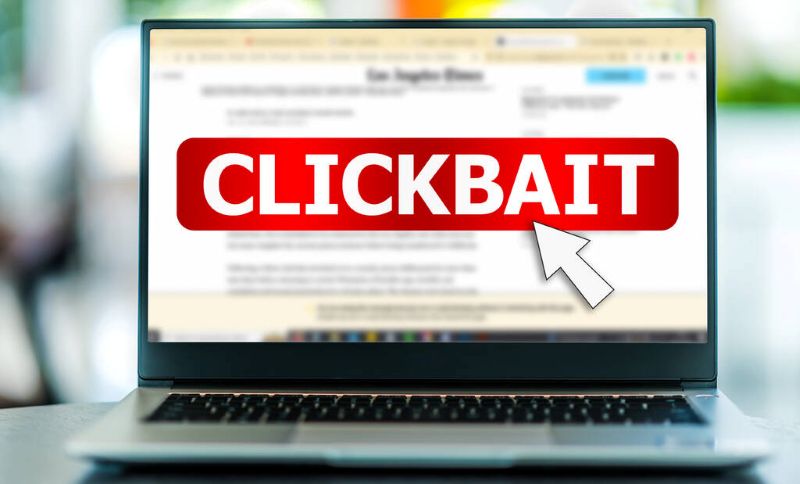
Clickbait refers to headlines or links designed to entice you to click, usually by exploiting curiosity, fear, or a sense of urgency, often at the expense of accuracy or substance. Once you click, you might find a shallow article, a slideshow, or worse – a site riddled with ads or even malware.
Why is Clickbait Bad?

- Wastes Your Time: You click, hoping for substance, and get fluff.
- Spreads Misinformation: Often, clickbait headlines are exaggerated or outright false.
- Lowers Trust: It erodes your faith in online content.
- Gateway to Scams: Some clickbait can lead to malicious websites.
Your Clickbait Radar: 5 Red Flags to Look For
- Extreme Emotional Language:
- Look for: Words like “shocking,” “unbelievable,” “mind-blowing,” “insane,” “you won’t believe,” “this simple trick,” “secret.”
- Example: “You Won’t BELIEVE What This Celebrity Said About YOU!”
- Reality Check: Legitimate news rarely uses such hyperbolic language.
- The “Curiosity Gap” Tactic:
- Look for: Headlines that ask a question or make a statement that’s just incomplete enough to make you want to know the answer. They promise to reveal a “secret” or “trick.”
- Example: “Doctors Are Furious About This One Easy Way to Lose Weight!”
- Reality Check: Reputable advice doesn’t hide essential information behind a click.
- Vagueness and Lack of Specifics:
- Look for: Headlines that are generic and don’t provide concrete details about who, what, when, where, or why.
- Example: “See What Happens When This Guy Tries THIS!”
- Reality Check: Quality content usually offers a clear idea of what you’re about to read.
- Excessive Use of CAPITAL LETTERS and Exclamation Marks!!!
- Look for: Over-the-top punctuation and capitalization, often combined with emotional language.
- Example: “MUST SEE! This Video Will CHANGE Your Life!!!”
- Reality Check: Professional content prioritizes clarity over yelling.
- Source Scrutiny (Is it Reputable?):
- Look for: Is the link coming from a well-known, trusted news source or blog? Or is it a random, unfamiliar URL? Pay attention to the domain name.
- Example: A link from “news.co.xyz” vs. “nytimes.com.”
- Reality Check: Even if the headline seems interesting, the source might not be credible.
Guarding Your Gates – How to Avoid Online Scams
While clickbait is annoying, scams are dangerous. They’re deceptive schemes designed to trick you into giving away money, personal information, or access to your accounts. Scammers are cunning and constantly evolving their tactics, but their core methods remain the same.
Types of Scams You’ll Encounter:
- Phishing: Fake emails or texts pretending to be from legitimate companies (banks, government, social media) asking for login info or personal data.
- Tech Support Scams: Someone pretending to be from Microsoft, Apple, etc., claiming your computer has a virus and needs remote access or payment.
- Prize/Lottery Scams: You “win” a lottery you never entered, but need to pay a fee to claim your prize.
- Romance Scams: Scammers create fake online personas to build emotional relationships and then ask for money.
- Impersonation Scams: Someone pretending to be from the IRS, police, or your utility company, demanding immediate payment.
Your Scam Shield: 8 Essential Defenses
- Verify the Source (Always!):
- Check email addresses: Does it really come from your bank, or is it “bankofamerlca.com”?
- Hover over links: Before clicking, hover your mouse over a link to see the actual URL. If it doesn’t match the sender, don’t click.
- Phone numbers: If you receive a suspicious call claiming to be your bank or a government agency, hang up and call them back using the official number from their website or your statements.
- Be Wary of Urgency and Threats:
- Scammers create panic: “Your account will be suspended if you don’t act now!” “Pay this fine immediately or you’ll be arrested!” This is designed to make you act without thinking.
- Reality Check: Legitimate organizations rarely demand immediate action under threat. They’ll typically send formal notices or give you time.
- The “Too Good to Be True” Rule:
- If it sounds too good to be true, it almost certainly is. Free money, winning a contest you didn’t enter, incredible investment returns – these are classic scam lures.
- Reality Check: There’s no such thing as a free lunch, especially online.
- Never Share Sensitive Information Unsolicited:
- Legitimate companies, banks, or government agencies will NEVER ask you for your passwords, PINs, full credit card numbers (especially over email/text), or Social Security Number via unsolicited email, text, or phone call.
- Reality Check: If they need to verify you, they’ll ask you to log in securely on their official website or provide information you already know about yourself.
- Look for Poor Grammar and Spelling:
- While not every scam has typos, a significant number do. Sloppy language is a common red flag.
- Reality Check: Professional organizations proofread their communications.
- Don’t Click on Suspicious Attachments:
- Attachments, even from someone you know, can contain malware if their account has been compromised. If it’s unexpected, verify with the sender first.
- Reality Check: Be cautious of anything not explicitly requested or expected.
- Trust Your Gut (And Slow Down):
- If something feels off, it probably is. Take a moment to pause, breathe, and think critically before acting. Don’t let perceived urgency rush you.
- Reality Check: A moment of skepticism can save you a lot of trouble.
- Educate Yourself & Use Security Tools:
- Stay informed about current scam trends.
- Use strong, unique passwords for all your accounts.
- Enable Two-Factor Authentication (2FA) wherever possible.
- Keep your operating system and antivirus software up to date.
The Overlap: Critical Thinking is Key
Both clickbait and scams prey on human psychology – our curiosity, our fears, our desires, and our trust. The secret weapon against both is critical thinking.
- Question Everything: Who sent this? Why are they sending it? What do they want me to do? Is this information credible?
- Don’t React, Reflect: Before clicking, sharing, or responding, take a moment to evaluate the situation.
- Verify Independently: If you get a suspicious message from your “bank,” don’t click the link in the message. Go directly to your bank’s official website or call their customer service number (from their official site/statement) to check.
By adopting these habits, you’re not just protecting yourself; you’re contributing to a safer, more informed online environment for everyone. Stay curious, but stay savvy!
What are your go-to strategies for spotting clickbait or avoiding online scams? Share your tips in the comments below!