
What to Do With an Old Laptop: Sell, Donate or Recycle?
7 min read
1279 words
Buying a new laptop is exciting, but it also leaves you with a question: what should you do with your old one? If it still works, throwing it away seems wasteful. You might be able to sell it, pass it along to someone who needs a computer or find another use for it around the house.
Even a laptop that feels outdated may still have plenty of life left in it. Before deciding what to do, take a little time to assess its condition, consider its value and explore the options available. The right choice depends on the age of the computer, its performance and whether it can still meet someone’s needs.
Is Your Old Laptop Still Worth Keeping?
Before selling or donating your laptop, consider whether it is worth keeping for another purpose. A computer that no longer meets your everyday needs may still be useful for basic tasks such as browsing the internet, checking email, viewing recipes or storing family photos.
You could also use an older laptop as a secondary computer for a family member, a dedicated machine for a particular task or a backup device. However, its operating system and security support matter. A laptop running an unsupported version of Windows should not be used for everyday internet activities without considering the security risks.
Windows 10 reached the end of standard support on October 14, 2025. If your old laptop cannot run a currently supported operating system, that may influence whether it is worth keeping or passing along to someone else.
Should You Sell Your Old Laptop?
If your laptop is in good working condition, selling it can help recover some of the money you spent on your new computer. There is still a market for used laptops, particularly models that are relatively recent, have adequate memory and storage, and can run a supported operating system.
Before setting a price, research similar models being sold in your area. Compare the exact model number, processor, RAM, storage capacity, age and overall condition. A laptop with a cracked screen, weak battery or other hardware problems will generally be worth less than one that is ready to use.
Be honest in your listing. Include the laptop’s specifications, describe any cosmetic damage and mention whether the original charger is included. Clear photographs of the computer, screen, keyboard and exterior can also help prospective buyers understand what they are purchasing.
If you are selling locally, arrange the exchange in a safe public location when possible. Avoid sharing unnecessary personal information, and be cautious about payment arrangements that seem unusual or involve sending money back to a buyer.
Most importantly, do not hand over your laptop while your personal information is still on it. Before selling, you need to back up anything you want to keep, sign out of your accounts and properly erase the device. Our guide, How to Secure Erase Your Windows Laptop Data, explains how to prepare a Windows laptop before it leaves your possession.
Consider Donating Your Old Laptop
A working laptop can make a meaningful difference to someone who cannot afford to purchase a new computer. Students, families, seniors and community organizations may benefit from a reliable device for schoolwork, communication, job applications and everyday tasks.
Before donating, contact the organization to find out what equipment it accepts. Some programs have minimum requirements for the operating system, processor, memory and storage. Others may accept older computers for parts or refurbishment.
It is also worth asking whether the organization provides data wiping or refurbishment services. Even if a donation program offers this service, you should take responsibility for protecting your own information before handing over the device. Back up your files, sign out of accounts and securely erase your personal data.
Include the charger if you still have it. A laptop without its compatible power adapter may be less useful to the next owner.
Recycle a Laptop That No Longer Works
Sometimes an old laptop is simply beyond repair. It may have a damaged motherboard, a failing screen, a swollen battery or several problems that make repairs uneconomical. When that happens, recycling is generally a better option than putting it in the household garbage.
Electronic waste contains materials that can be recovered and reused, but it may also contain components that require proper handling. Take your laptop to an electronics recycling program or an approved collection location in your community. In Canada, the provincial electronics recycling program can help you find participating drop-off locations.
Do not place a laptop in your regular recycling bin. It needs to go through an appropriate electronics recycling process.
If the laptop has a swollen or damaged battery, do not attempt to remove, puncture or crush it. Contact an appropriate electronics recycling facility for instructions on safe handling. Battery recycling requirements can differ from those for other electronic equipment.
Remember that recycling does not automatically protect your personal information. If the laptop still powers on, erase your data before taking it in. If it does not work, ask the recycling facility about its data destruction procedures. For particularly sensitive information, you may want to have the storage drive removed and handled by a qualified professional.
Could You Repurpose Your Old Laptop?
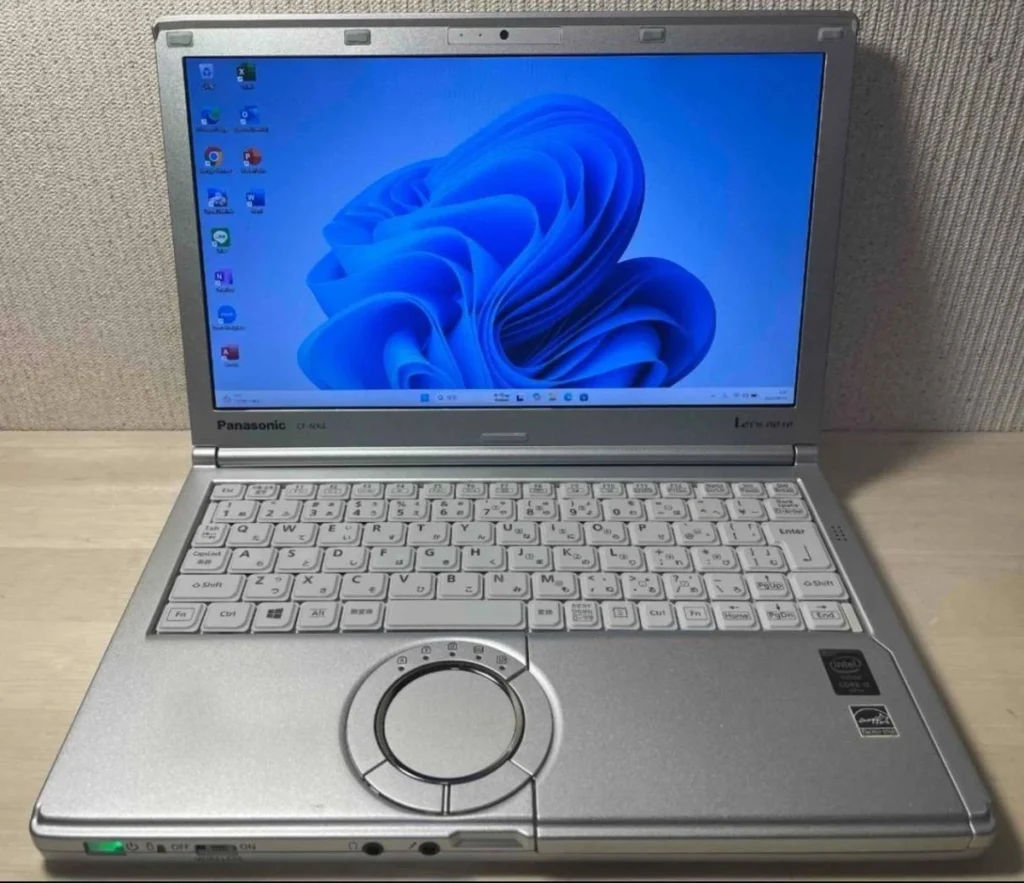
If you are not ready to sell, donate or recycle your computer, consider whether it could serve another purpose. An older laptop may still be useful for a specific task, provided its hardware and operating system remain suitable and secure.
For example, you could use it as a dedicated computer for writing, managing household documents, viewing family photographs or controlling compatible home devices. It might also be useful as a spare computer for occasional tasks.
However, avoid relying on an old laptop for banking, shopping or other activities involving sensitive information if it is no longer receiving security updates. A computer that still turns on is not necessarily a safe computer to use online.
You should also consider the cost of keeping it running. If it needs a new battery, storage drive or other repairs, compare the expense with the value you would get from continuing to use it.
What to Check Before Passing Along an Old Laptop
Whether you plan to sell or donate your laptop, a little preparation can make the process easier for the next owner.
- Back up your important files, photographs and documents.
- Sign out of your Microsoft account, email and other personal accounts.
- Deauthorize software that is linked to the device, where required.
- Securely erase your personal data.
- Remove memory cards, USB drives and other accessories that belong to you.
- Clean the keyboard, screen and exterior using products suitable for electronics.
- Include the compatible charger and any accessories you are giving away.
- Be honest about the laptop’s age, condition and known problems.
Do not forget to check the laptop’s compartments and carrying case for USB drives, memory cards, paperwork or other personal items.
Make a Responsible Choice for Your Old Computer
An old laptop does not automatically belong in the garbage just because you have upgraded. If it is still reliable, selling or donating it can extend its useful life. If it is no longer suitable for everyday use, you may be able to repurpose it for a limited task or take it to an approved electronics recycling facility.
The important thing is to consider both the condition of the computer and the security of your personal information. Before passing it along, make sure your files and accounts are protected and that the device is ready for its next destination.
A little preparation can help someone else get more use from your old laptop while giving you peace of mind that your personal information is no longer on it.