
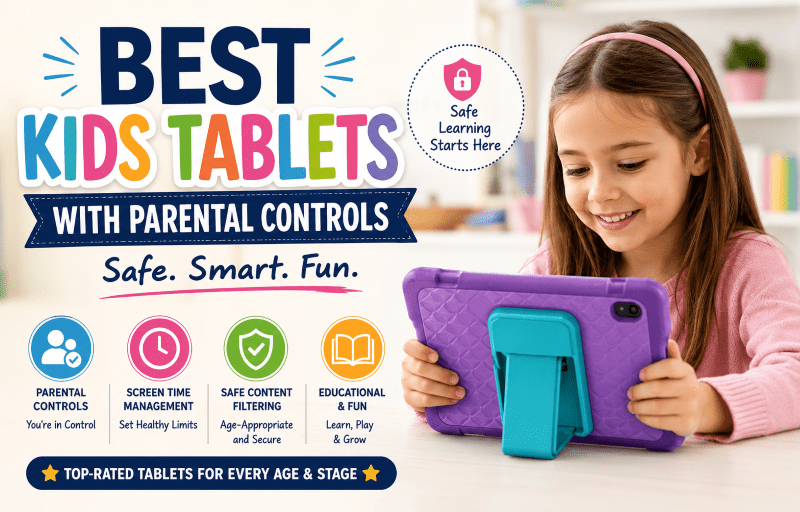
Tablets for Kids With Strong Parental Controls
5 min read
849 words
What to Look for in a Kids Tablet
Before buying, it’s important to understand what separates a kids tablet from a standard device.
1. Strong Parental Controls
- App approval to control downloads
- Screen-time limits and scheduling
- Content filtering for web and video apps
2. Durability
Kids are tough on devices. The best tablets for kids include shockproof cases, reinforced corners, and extended warranties for accidental damage.
3. Educational Content
The best learning tablets for kids include STEM apps, reading tools, and access to platforms like PBS Kids or curated learning libraries.
4. Battery Life
For travel, school, and everyday use, aim for at least 8–10 hours of battery life on kids tablets.
Best Kids Tablets Reviewed
1. Best Overall Kids Tablet: Amazon Fire HD 10 Kids Pro
A top choice for families looking for reliable kids tablets with strong parental controls and a durable design.
- 10.1-inch 1080p display
- Amazon Kids+ included
- 2-year worry-free guarantee
- Best for: Most families
2. Best Budget Kids Tablet: Amazon Fire 7 Kids
An affordable option among tablets for kids that still delivers strong safety controls and a protective case.
- 7-inch display
- Durable bumper case
- Best for: Younger children or light use
3. Best Tablet for Toddlers: Amazon Fire HD 8 Kids
One of the best kids tablets for toddlers, designed for small hands and early learning.
- Thick protective foam case
- Curated content for ages 3–7
- Best for: Toddlers
4. Best Tablet for Older Kids: Samsung Galaxy Tab A9 Kids Edition
For families looking to transition children from early learning devices to more versatile tablets for kids, Samsung offers a smooth and familiar experience with strong parental control options.
We are Samsung fans in our house, and that familiarity made the transition easier for us.
Our daughter moved from a LeapFrog LeapPad Platinum to a Samsung Galaxy Tab A 8.0, and eventually to a Samsung cellphone as she got older.
Each step felt natural, with the interface and ecosystem staying consistent as her needs changed.
The Galaxy Tab A9 Kids Edition continues that idea, offering a more “grown-up” tablet experience while still keeping strong safety controls in place for kids tablets users.
- 8.7-inch vibrant display
- Google Play access with parental approval
- Samsung Kids mode for safe browsing and apps
- Best for: Ages 9–12 transitioning toward teen devices
5. Best Educational Kids Tablet: LeapFrog Epic Academy Edition
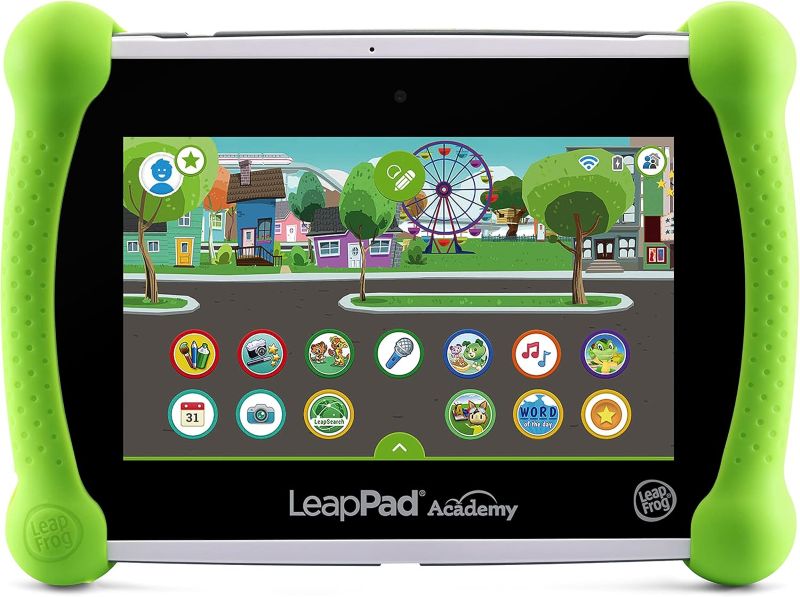
LeapFrog is one of the most established names in early childhood learning devices, and its tablets for kids are often featured in educational reviews and testing roundups.
The Epic Academy Edition is designed specifically for structured learning, with a strong focus on reading development, STEM activities, and guided play.
In many families, LeapFrog devices are a child’s first introduction to screen-based learning. For example, my daughter started with the LeapFrog LeapPad Platinum back in 2017, which helped her build early confidence with educational games and interactive reading activities before moving on to more advanced kids tablets.
- Adaptive learning interface that grows with the child
- Curated STEM, reading, and logic-based apps
- Best for: Homeschooling and early education support
6. Best Premium Kids Tablet: iPad (10th Gen) with Screen Time
A powerful long-term option among tablets for kids, offering the best app ecosystem and strong parental controls.
- A14 Bionic chip
- Apple Screen Time controls
- Best for: Long-term family device
Comparison Table
| Tablet | Best For | Screen Size | Battery Life | Parental Controls |
|---|---|---|---|---|
| Amazon Fire HD 10 Kids Pro | Overall Safety | 10.1″ | 13 Hours | Excellent |
| Amazon Fire 7 Kids | Budget | 7″ | 10 Hours | Excellent |
| Samsung Galaxy Tab A9 Kids | Older Kids | 8.7″ | 10 Hours | Good |
| iPad (10th Gen) | Performance | 10.9″ | 10 Hours | Strong |
Best Parental Control Features to Use
- Purchase approvals to prevent accidental spending
- Web filtering for safe browsing
- Activity reports to track usage habits
- Night mode for bedtime shutdown
Are Kids Tablets Worth It?
Kids tablets can be a valuable tool for learning, travel, and entertainment when used with proper limits.
They help build digital literacy, improve coordination, and support educational development.
Frequently Asked Questions
What is the safest tablet for kids?
Amazon Fire Kids tablets are widely considered the safest kids tablets due to strong parental controls and a curated ecosystem.
Which tablet has the best parental controls?
Amazon Kids+ is ideal for younger children, while Apple Screen Time and Google Family Link offer more advanced controls for older kids.
What age should a child get a tablet?
Most experts recommend supervised use starting around ages 3–4 with strict screen-time limits.
Final Verdict
- Best Overall: Amazon Fire HD 10 Kids Pro
- Best Budget: Amazon Fire 7 Kids
- Best for Education: LeapFrog Epic Academy Edition
Choosing the right kids tablet depends on your family’s needs. With the right parental controls in place, a tablet can be a safe, educational, and engaging tool for children.