Ultimate WiFi Bluetooth Projector Buying Guide 2026
12 min read
2201 words
Tired of the tangled mess of HDMI cables behind your TV? Dreaming of a cinematic experience that can follow you from the living room to the backyard? You are not alone. The old-school home theater setup, with its web of cords and fixed components, is quickly becoming a relic of the past. The solution? The modern WiFi Bluetooth projector, a single, sleek device that delivers big-screen entertainment with unrivaled convenience. Whether you are planning epic Summerween movie marathons under the stars, transforming your bedroom into a private cinema, or dominating the competition in big-screen gaming, the right wireless projector changes everything. But with so many models on the market, choosing the right one can feel overwhelming. In this comprehensive guide, we break down exactly what you need to look for in a wireless projector to ensure you get crisp visuals, lag-free audio, and seamless connectivity. We will turn you from a curious shopper into a confident expert, ready to pick the perfect model for your lifestyle.
What is a WiFi Bluetooth Projector & Why Do You Need One?
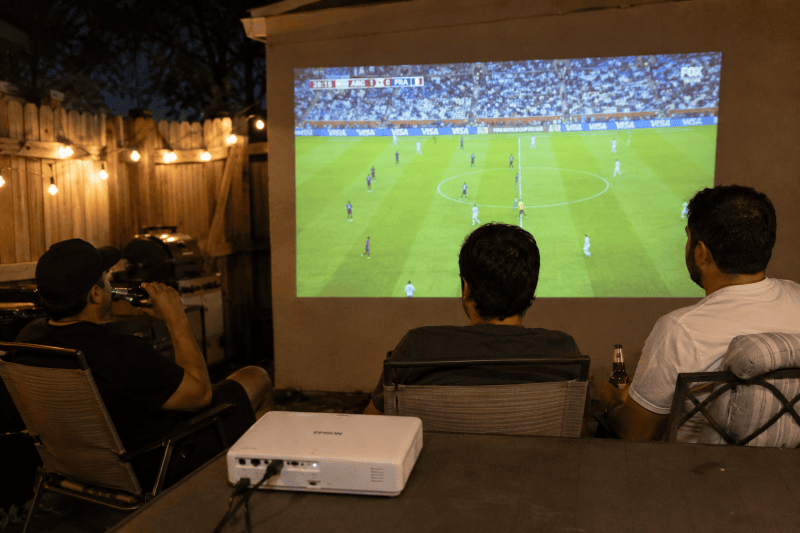
At its core, a WiFi Bluetooth projector combines a traditional projector with built-in smart connectivity. It is not just a display; it is an all-in-one entertainment hub.
Wireless Convenience: No More HDMI Cable Spaghetti
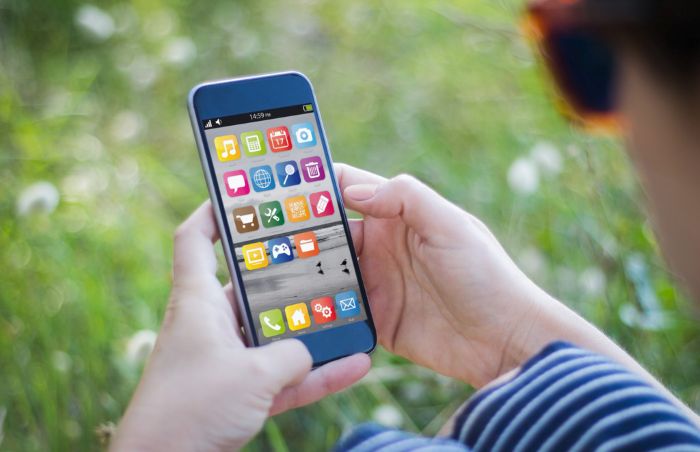
The first and most obvious benefit is total freedom. You can stream content directly to the projector or mirror your phone or laptop screen without hunting for a specific cable. Setting up for movie night goes from a ten-minute chore to a 60-second launch. This portability is a game-changer for impromptu outdoor movie nights or moving the fun from room to room seamlessly.
Smart Connectivity: How WiFi Enables Direct Streaming
A built-in WiFi connection, preferably the latest WiFi 6 standard, allows the projector to connect to your home internet directly. This means you can download streaming apps like Netflix, YouTube, Disney+, and Prime Video straight onto the projector. There is no need for a separate Roku, Fire Stick, or Apple TV box, just your projector and a remote. It is a cleaner, more integrated experience.
Bluetooth Audio: Elevating Your Sound
While built-in projector speakers are improving, they can rarely rival a dedicated sound system. Bluetooth connectivity solves this effortlessly. With a simple pairing, you can connect your projector to:
- Soundbars: For immersive, theater-like audio.
- Wireless Headphones: For late-night viewing without disturbing anyone else in the house.
- Portable Bluetooth Speakers: For adding powerful bass to your outdoor backyard parties.
7 Key Features to Check Before You Buy
When you are in the consideration stage, it helps to compare specifications directly. Use this checklist to evaluate any model on the market. We will be using the AILESSOM 450″ Display Projector as our real-world benchmark to show how these specs play out in practice.
| Feature | What to Look For & Why It Matters |
|---|---|
| 1. Brightness (Lumens) | The most critical spec. Look for native ANSI Lumens ratings rather than inflated marketing numbers. For a dark room, 800 to 1500 ANSI lumens is sufficient. For living rooms with ambient light or outdoor use, aim for 2500+ ANSI lumens. In our backyard testing, models under 1500 ANSI lumens struggled significantly until complete sunset. |
| 2. Resolution | 1080p (Native Full HD) is the sweet spot for most users, offering sharp images at a great price. 4K support is fantastic for detail but often comes at a premium. Remember that a “4K supported” projector might still have a native 1080p chip. True 4K resolution delivers stunning clarity on screens over 100 inches. |
| 3. Wireless Reliability | WiFi 6 (802.11ax) is the gold standard for modern streaming. It provides faster, more stable streaming with less interference from other household devices, which is crucial for high-bitrate 4K content. If budget allows, prioritize WiFi 6. |
| 4. Bluetooth Version | Bluetooth 5.0 or higher is essential. Newer versions offer significantly lower latency and better range. If you care about tight sync between lips and dialogue, this is non-negotiable. |
| 5. Keystone Correction & Autofocus | These are your hassle-free setup features. Automatic Keystone Correction digitally adjusts the image to be perfectly rectangular even if the projector is placed at an angle. Autofocus ensures a sharp image instantly. Manual correction is tedious; automatic is a luxury you will love. |
| 6. Portability | Consider weight and battery life. For true grab-and-go outdoor use, look for a model under 6 lbs with a built-in battery lasting at least 2 hours. Projectors like the AILESSOM are fantastic for fixed installations but less ideal for frequent transport. |
| 7. Connectivity Ports | Even with robust wireless, physical ports remain important. Ensure it has at least one HDMI port for gaming consoles or laptops, USB-A for playing media from flash drives, and a 3.5mm audio jack for wired sound system compatibility. |
Best WiFi Bluetooth Projectors for 2026: Our Top Recommendations
Not every wireless projector is designed for the same type of viewer. A backyard movie enthusiast, a casual Netflix watcher, and a competitive gamer all need different features. Before buying, consider where you will use your projector most often.
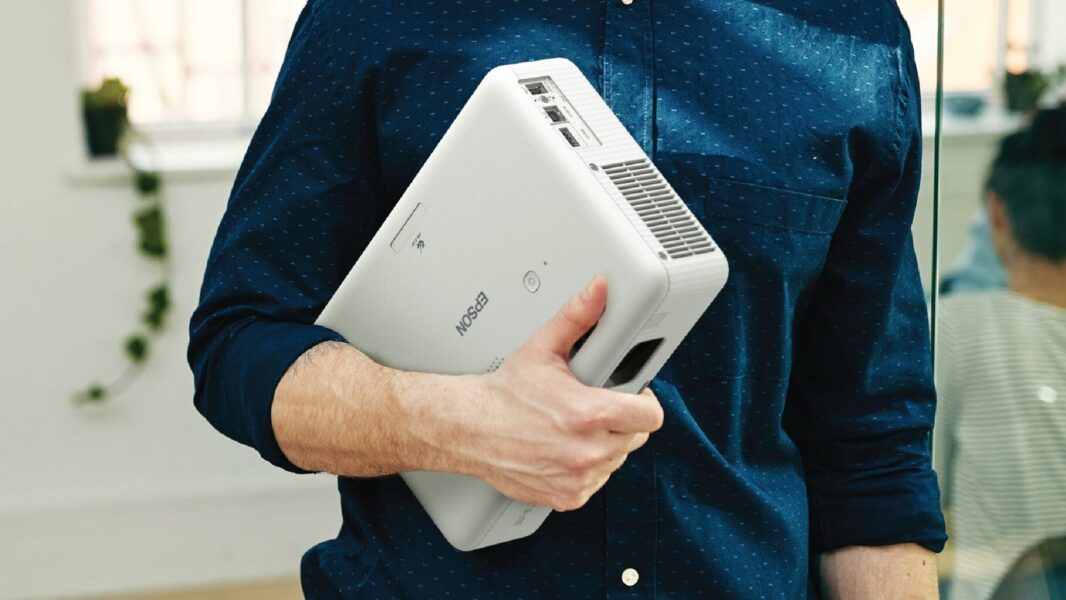
Best Overall WiFi Bluetooth Projector: Epson EpiqVision Flex CO-W01
Best for: Home entertainment, family movie nights, and everyday streaming
Epson is one of the most trusted names in projection technology. Models like the EpiqVision Flex line offer excellent image quality, dependable performance, and strong colour accuracy.
Why it stands out:
- Bright image suitable for living rooms
- Reliable brand reputation
- Excellent colour reproduction
- Easy setup
- Great for movies, sports, and presentations
Best for: Buyers who want quality and reliability over bargain pricing.
Best Premium Smart Projector: Samsung The Freestyle 2nd Gen
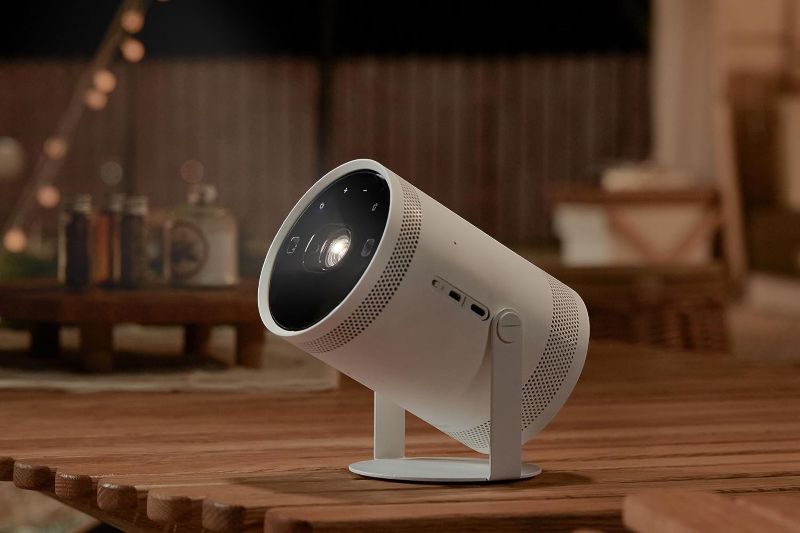
Best for: Portable streaming, bedrooms, apartments, and travel
The Samsung The Freestyle is designed for people who want a simple, stylish projector experience. It includes smart TV features, automatic setup, and compact portability.
Why it stands out:
- Automatic keystone correction
- Autofocus
- Built-in streaming platform
- Compact design
- 180-degree projection capability
Best for: Users who want a projector that works almost instantly without technical setup.
Best Portable Outdoor Projector: Anker Nebula Capsule 3 Laser
Best for: Backyard movie nights and travel
For outdoor entertainment, portability matters. A compact projector with a built-in battery lets you create a movie night almost anywhere.
Why it stands out:
- Portable cylinder design
- Built-in battery
- Strong image quality
- Smart streaming features
- Bluetooth speaker functionality
Best for: Camping trips, patios, and spontaneous movie nights.
Best Budget WiFi Bluetooth Projector: AILESSOM 450″ Display Projector
Best for: Affordable home cinema setups
Budget projectors have improved dramatically, and models like the AILESSOM 450″ Display Projector provide impressive features for casual movie watching.
Why it stands out:
- Large screen projection
- Wireless smartphone connectivity
- Bluetooth audio support
- Native 1080p options available
- Affordable entry point
Keep in mind: Budget projectors often advertise huge screen sizes, but brightness and image quality may decrease as the image gets larger. Always check the native resolution and ANSI lumen rating rather than relying only on marketing claims.
The Best Use Cases for Wireless Projectors
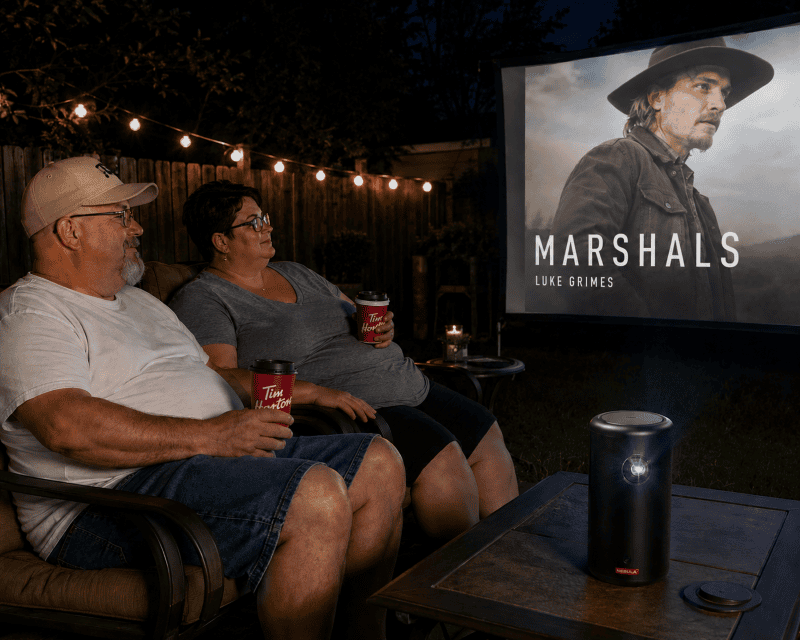
The Ultimate Outdoor Movie Night
For a backyard cinema, brightness and portability are king. Choose a projector with high ANSI lumens to combat early evening light and a lightweight design. Pro Tip: Set up a flat white bedsheet or a dedicated portable screen, position the projector at the optimal throw distance, and connect it to a powerful Bluetooth speaker. You can even use your phone as the remote via the projector’s companion app.
The Bedroom Cinema Experience
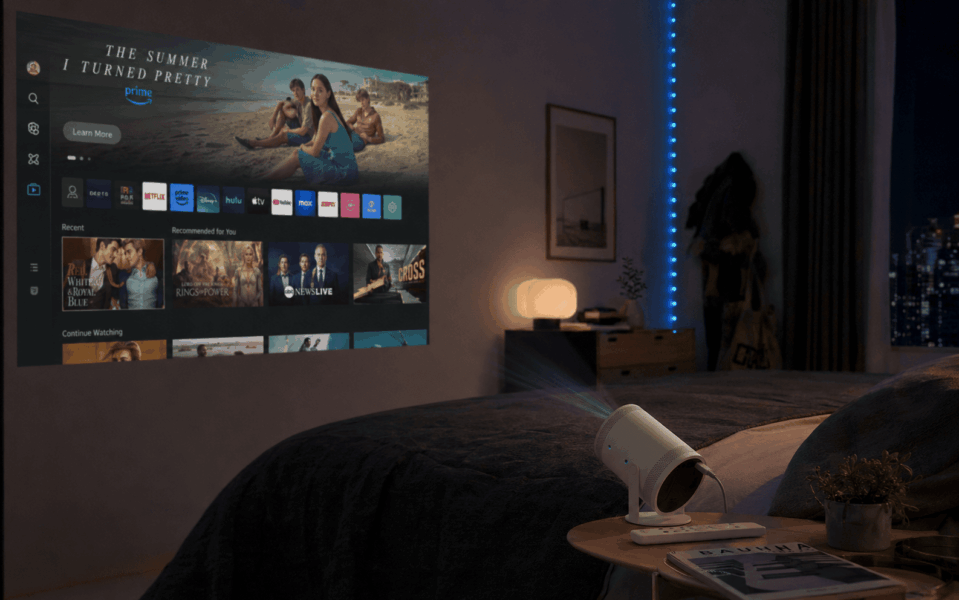
Imagine lying in bed and projecting your favorite series directly onto the ceiling. For this setup, look for a projector with 180-degree vertical keystone correction or a dedicated ceiling mode. Autofocus is a lifesaver here. A compact, quiet model with low fan noise is ideal for this intimate setting.
Gaming on the Big Screen
For gaming, input lag is the critical factor. Look for a projector with a dedicated Game Mode that reduces input lag to under 20ms. While wireless streaming from a smartphone or tablet works fine for casual gaming, plugging in an HDMI cable for your PS5 or Xbox is still highly recommended to entirely eliminate wireless latency in fast-paced competitive titles.
Projector Buying Mistakes to Avoid
Even experienced shoppers can make mistakes when buying a projector. Avoid these common problems:
Mistake #1: Choosing Based Only on Screen Size
A projector advertising a “450-inch display” sounds impressive, but bigger is not always better. A large image with poor brightness will look washed out.
Better approach: Choose the brightest projector you can afford and match the screen size to your room conditions.
Mistake #2: Confusing Native Resolution With Supported Resolution
Many inexpensive projectors advertise “4K support,” but this does not always mean they display true 4K resolution.
Look for:
- Native 1080p: Great for most users
- Native 4K: Premium option with the sharpest detail
- Avoid relying only on “supports 4K” claims
Mistake #3: Ignoring Fan Noise
Projectors need cooling, and cheaper models can produce noticeable fan noise.
For bedrooms and quiet movie watching, look for:
- Low-noise cooling systems
- Eco mode settings
- Quiet operation under 30 to 35 dB
Mistake #4: Forgetting About Streaming Compatibility
A projector may advertise smart features but not support every streaming service.
Before buying, check:
- Netflix certification
- Android TV or Google TV support
- App availability
- Firmware update support
Accessories That Make Your Projector Experience Better
The projector is only part of the setup. These accessories can dramatically improve your viewing experience:
Projector Screen
A dedicated screen improves brightness, contrast, colour accuracy, and outdoor viewing quality.
Bluetooth Sound System
Most built-in projector speakers are acceptable but not impressive. A soundbar or portable Bluetooth speaker creates a much more cinematic experience.
Streaming Stick
Even smart projectors benefit from devices like the Amazon Fire TV Stick 4K Max or Roku Streaming Stick 4K. They provide faster menus, more app support, and smoother streaming.
Carrying Case
If you plan outdoor movie nights, a protective case prevents damage during storage and transportation.
How to Set Up Your Projector for the Best Experience
Placement & Throw Distance: Measure the distance from where you plan to place the projector to the wall or screen. Check the model’s throw ratio. For example, a 1.2:1 ratio means 1.2 feet of distance for every 1 foot of image width. Find that sweet spot for your desired screen size.
Optimizing WiFi for Streaming: Place your projector within clear range of your WiFi router. Use the 5GHz band because it is less crowded than the standard 2.4GHz band, allowing for much faster speeds. If your signal is weak in the backyard, consider positioning a WiFi extender nearby.
Syncing Bluetooth Audio: If you notice a slight audio lag where lips move before you hear the sound, check the projector’s settings for an Audio Delay or Lip Sync adjustment. Alternatively, ensure both the projector and your soundbar or speaker are updated with the latest firmware.
Frequently Asked Questions
Q: Can I connect my iPhone or Android wirelessly?
A: Yes. Most modern WiFi projectors support AirPlay for iOS devices and Miracast for Android and Windows devices to enable easy screen mirroring. You can also use dedicated manufacturer apps like the AILESSOM app for more advanced control.
Q: Do I need a projector screen, or is a wall okay?
A: A flat, white, or light-grey wall works surprisingly well for casual viewing. For the best absolute experience, especially in ambient light, a dedicated grey projector screen will vastly improve contrast. A portable tripod or inflatable screen is a fantastic, affordable upgrade for outdoor movie nights.
Q: Why does my Bluetooth audio have a delay?
A: This is usually due to older Bluetooth versions or codec mismatches. Ensure you are using a projector and speakers that both support Bluetooth 5.0 or higher. In the projector’s audio settings, manually increase the Audio Delay or Lip Sync value until the sound matches the onscreen action perfectly.
Q: Is a WiFi projector fast enough for gaming?
A: Yes for casual gaming, but stick to physical cords for competitive play. While built-in apps and mirroring work flawlessly for casual titles, high-paced competitive gaming on a console still benefits from a direct HDMI connection to entirely eliminate wireless latency.
Final Buying Checklist
Before purchasing your WiFi Bluetooth projector, ask:
- Does it have true native 1080p or 4K resolution?
- Are the brightness ratings measured in ANSI lumens?
- Does it support WiFi 6 or reliable dual-band WiFi?
- Does it have Bluetooth 5.0 or newer?
- Does it include autofocus and automatic keystone correction?
- Is it bright enough for your room or outdoor space?
- Does it support the streaming apps you use?
- Does it have HDMI for gaming consoles?
Conclusion & Final Recommendations
Choosing the perfect WiFi Bluetooth projector boils down to matching its features to your primary use case. Remember the hierarchy of needs: start with brightness for your specific environment, then ensure wireless reliability with WiFi 6 and Bluetooth 5.0+, followed by resolution and convenience features like autofocus.
The best WiFi Bluetooth projector is not necessarily the most expensive model, it is the one that matches your lifestyle. For backyard entertainment, prioritize brightness and portability. For bedrooms, focus on quiet operation and automatic setup. For gaming, prioritize low input lag and HDMI connectivity.
For most families, a quality 1080p WiFi Bluetooth projector with autofocus, keystone correction, WiFi 6, and Bluetooth 5.0+ offers the best balance of price, performance, and convenience in 2026. Models like the AILESSOM 450″ Display Support 4K Movie Projector remain excellent benchmark choices, offering native clarity, strong brightness, and robust wireless connectivity that makes setup an absolute breeze.