How to Protect Your Phone From Heat Damage This Summer
5 min read
981 words
In our increasingly connected world, smartphones have become indispensable tools. From navigation and communication to entertainment and productivity, they handle a vast array of tasks. However, this constant activity, combined with environmental factors, makes your phone vulnerable to a silent but destructive threat: heat damage. Understanding how to protect your phone from excessive heat is crucial for extending its lifespan, maintaining optimal performance, and preventing costly repairs. In this guide, we’ll explore why heat is your phone’s worst enemy and the best ways to keep your device running cool.
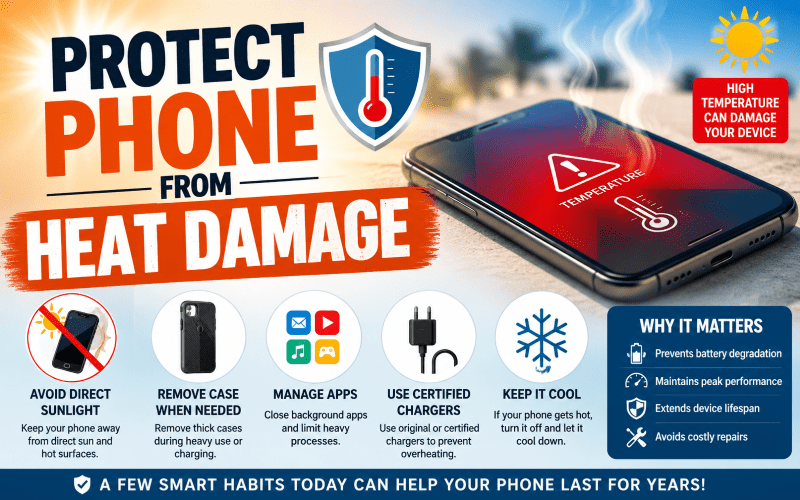
Why Phone Heat Protection Matters
Like any complex electronic device, smartphones are designed to operate within a specific temperature range, usually between 32°F and 95°F. When that range is exceeded, internal components—especially the battery and processor—begin to degrade.
Ignoring the signs of an overheating phone can lead to a cascade of problems, affecting everything from your device’s speed to its overall longevity.
The Silent Threat: How Heat Damages Your Phone
- Battery Degradation
Heat is a battery’s worst enemy. Prolonged exposure to high temperatures accelerates the chemical reactions inside your phone’s lithium-ion battery, permanently reducing its capacity.
If you notice signs your phone battery may be heat damaged—such as rapid battery drain or the phone only working while plugged in—the damage may already be done.
- Performance Issues
When a phone overheats, its processor automatically “throttles” or slows down to prevent further damage. This results in sluggish performance, app crashes, and lagging.
- Permanent Component Damage
Extreme heat can cause irreversible damage to the CPU, GPU, and display. This may appear as graphical glitches or even complete device failure.
- Safety Hazards
In rare cases, a severely overheated battery can swell or leak, posing a significant safety risk to you and your home.
Common Causes of Phone Overheating
Understanding what causes your phone to overheat is the first step toward prevention. Usually, it’s a combination of external environment and internal workload.
External Factors
- Direct Sunlight Exposure
Leaving your phone on a towel at the beach or a sunny windowsill can rapidly spike its internal temperature.
- Hot Environments
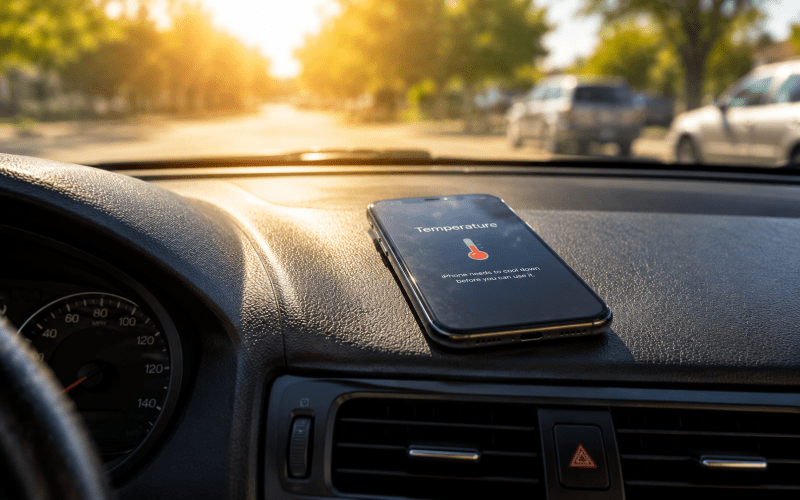
Parked cars are notorious heat traps. Even in mild weather, a car’s interior can reach dangerous temperatures within minutes.
- Heavy-Duty Cases
While protective against drops, some thick cases trap heat and prevent proper airflow. If you live in a warm climate, investing in a heat resistant phone case is a smart move.
Internal Factors
- Intensive App Usage
High-end gaming and 4K video streaming push your processor to its limits.
- Charging Habits
Using a fast charger for iPhone or Android devices generates heat as energy is pushed into the battery.
- Outdated Software
Bugs in older software can cause apps to run excessively in the background, consuming resources and generating heat.
Best Phone Cooling Accessories for Summer 2026
If you are a power user or live in a hot climate, standard habits might not be enough. Here are some of the top-rated battery protection accessories and cooling gear to help keep your tech safe.
Top Cooling Cases for iPhone and Android
Look for the best phone cooling case featuring perforated backs or thermally conductive materials that allow heat to escape more efficiently.
Active Cooling for Gamers
If you play titles like PUBG Mobile or Genshin Impact, a dedicated phone cooler for gaming, such as a clip-on fan, can dramatically reduce your device’s temperature during intense sessions. These are among the best gaming accessories to prevent phone overheating.
Smart Charging
Using a wireless charger with cooling fan technology can help reduce excess heat while charging and may help preserve long-term battery health.
On-the-Go Cooling
A portable phone fan or ventilated car mount charger can help prevent overheating while using GPS navigation during hot summer drives.
Many of these accessories are relatively inexpensive compared to the cost of replacing a damaged smartphone battery or cracked display.
Essential Tips to Protect Your Phone
Adopting a few smart habits can significantly reduce the risk of overheating.
- Manage Background Apps
Close apps you are not actively using. Many continue running in the background, drawing power and generating heat.
- Lower Screen Brightness
Your screen is one of the biggest heat generators. Lowering the brightness slightly can reduce battery strain and heat output.
- Avoid Heavy Usage While Charging
Try not to game or make long video calls while your phone is plugged in. The combination of charging and processor strain creates excess heat and increases wear on your device.
- Use Certified Chargers
Always use original or certified accessories. Cheap, uncertified chargers may not regulate power properly, leading to dangerous heat spikes.
- Keep Software Updated
Updates often include thermal management improvements that help your phone operate more efficiently.
What to Do If Your Phone Overheats
If your phone displays a temperature warning or feels unusually hot to the touch, take action immediately.
- Turn It Off
Powering down stops heat generation immediately.
- Move It to a Cooler Area
Get your phone out of direct sunlight and into a shaded or air-conditioned area.
- Remove the Case
Allowing the device to breathe helps trapped heat escape more efficiently.
- Avoid Rapid Cooling
Never place your phone in a freezer or refrigerator. Sudden temperature changes can cause condensation inside the device, leading to permanent water damage.
- Wait Before Restarting
Let your phone cool down for at least 20 minutes before turning it back on.
Conclusion
Your smartphone is a major investment, and protecting it from heat damage is one of the best ways to preserve its performance and extend its lifespan.
By being mindful of your environment, choosing the right heat resistant phone case, and using smart battery protection accessories, you can keep your device cool, reliable, and ready for anything.
Whether you are gaming, streaming, traveling, or working outdoors, investing in proper cooling accessories can help prevent expensive repairs and extend the life of your device.
Stay cool, and keep your tech cooler!