The Laptop Screen Extender: Your New Productivity Hack
4 min read
769 words
We’ve all been there: you’re deep into a project, toggling between your WordPress dashboard, an SEO keyword research tool, and your email inbox. You’re constantly minimizing and maximizing windows, searching for that one tab you just opened, and before you know it, you’ve developed a case of “tab fatigue.” Managing a digital workload on a single 13 inch screen can feel like trying to organize a messy desk in a broom closet. It’s cluttered, frustrating, and a major drain on your focus. But what if you could take your multi screen desktop setup with you, whether you’re working from a bustling coffee shop, a train, or a hotel room? Enter the laptop screen extender. It is the modern professional’s answer to the “home office anywhere” lifestyle, promising to turn your laptop into a workstation that works as hard as you do.
What Exactly is a Laptop Screen Extender?
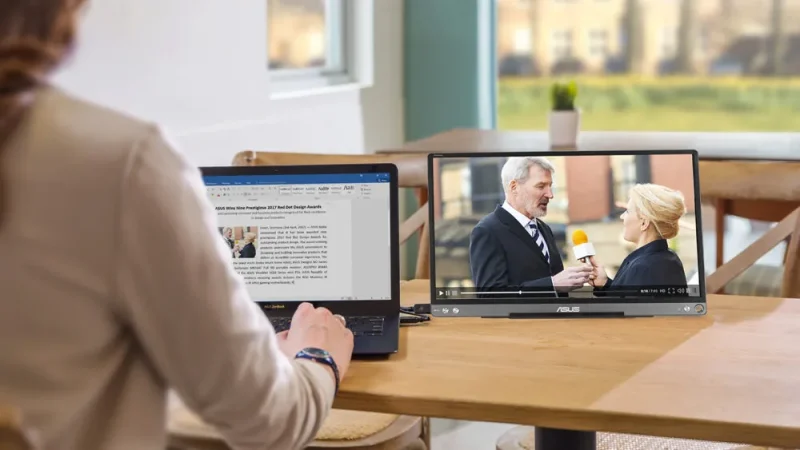
Forget the bulky, heavy desktop monitors of the past. A laptop screen extender is a lightweight, high definition display designed specifically to travel. These devices are built to complement your laptop, not weigh it down.
There are generally two ways to achieve this multi screen setup for a laptop:
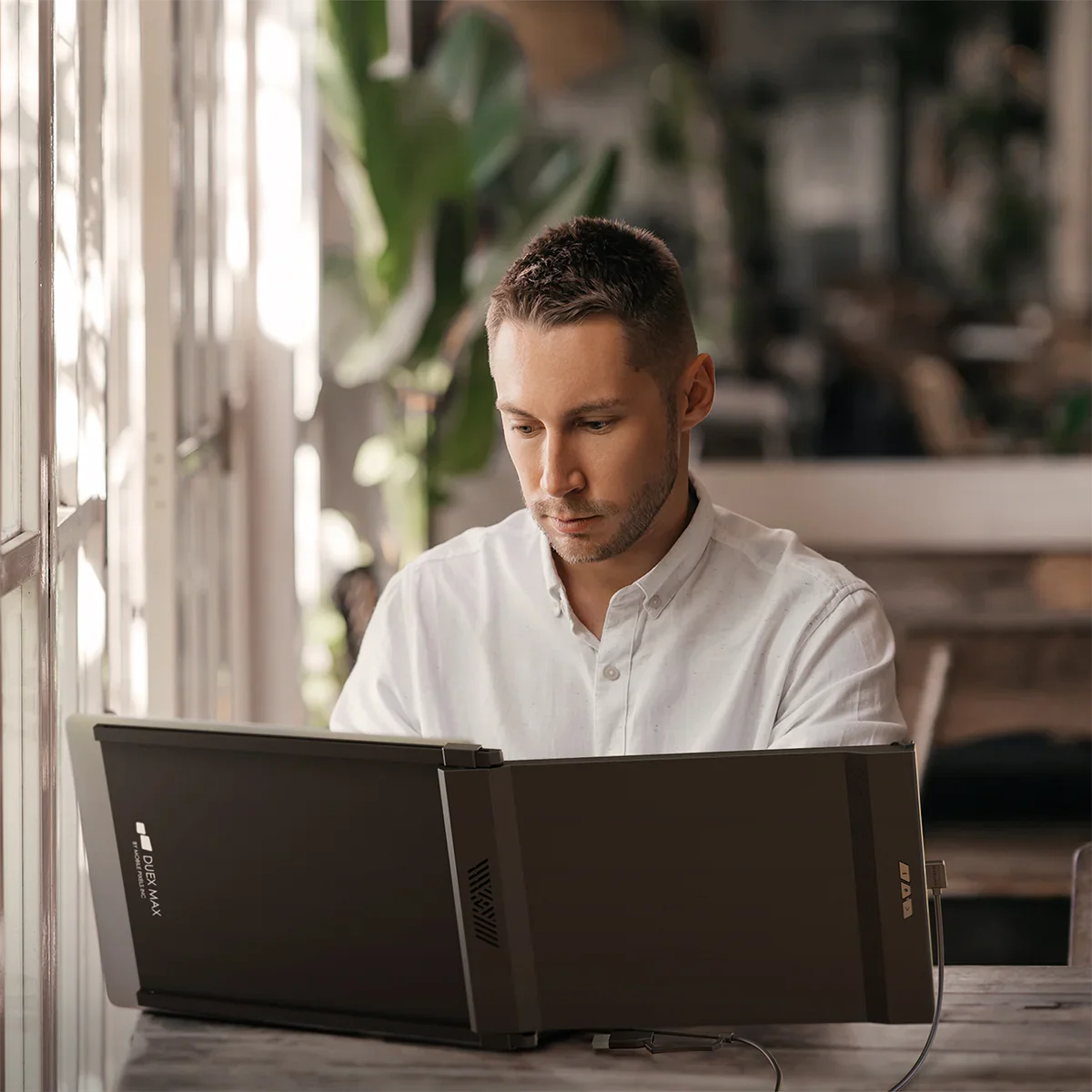
- Side mount (Attachable) Extenders: These clever devices physically clip to the back of your laptop lid, sliding out to provide an extra screen on the left, right, or both sides. They are favorites for digital nomads who need to set up shop in tight spaces.
- Standalone Portable Monitors: These are separate, slim displays that come with an integrated kickstand. They offer more flexibility for positioning—ideal for hotel desks where you have a bit more surface area to work with.
Real World Benefits: Why You Need More Screen Real Estate
Adding a portable laptop monitor to your gear isn’t just about looking tech savvy; it’s about tangible productivity gains.
- Multitasking Mastery
Imagine writing your latest blog post on your main screen while keeping your research, CMS, and analytics open right beside it. No more flipping tabs—just a continuous, seamless workflow. - Reduced Mental Load
Research shows that constant window switching disrupts your “deep work” flow. By having your reference materials permanently anchored on a second monitor, you reduce cognitive fatigue, allowing you to stay in the zone longer. - Professional Presentation
Many extenders feature “Mirror Mode.” Whether you’re meeting with a client or showing a colleague your recent design work, you can rotate the screen so they see exactly what you see without crowding over your shoulder.
What to Consider Before Buying
Before you invest in the best laptop screen extender of 2026, keep these technical considerations in mind:
- Connectivity: Look for USB C support, specifically devices that utilize “DisplayPort Alt Mode.” This allows for a single cable setup—carrying both power and video data—keeping your workspace clutter free.
- Weight & Size: Ensure the extender is compatible with your specific laptop size. More importantly, be mindful of the weight. Some heavier attachable screens can strain laptop hinges if they aren’t designed to support the extra tension.
- Display Quality: When working from home or on the road, glare can be a nightmare. Opt for an IPS panel with an anti glare coating to ensure vibrant colors and wide viewing angles, no matter where your office is today.
Pro Tips for the Road Warrior
- Optimize Your Layout: Place your main work in the center and use the side screen for static reference materials like style guides, social media scheduling dashboards, or communication apps like Slack.
- Cable Management: Use short, high quality USB C cables. A tangled mess of cords defeats the purpose of a portable, streamlined setup.
- Power Management: Remember that secondary screens draw power from your laptop. If you’re planning a long cafe session, keep a high capacity power bank or your charger handy to avoid draining your battery mid project.
Is It Time for an Upgrade?
If you are a freelancer, blogger, or remote professional who prides yourself on efficiency, a second screen is no longer a luxury—it’s a necessity. It is the ultimate item on the list of laptop accessories for bloggers who need to balance heavy research with creative output.
By choosing the right setup, you can finally reclaim your screen space, reduce your stress levels, and boost productivity working from home or anywhere else the wind takes you.
Tell us: How many browser tabs do you currently have open? If you added a second screen to your workflow today, what is the first thing you’d do with that extra space? Let us know in the comments below!